Finally, the whole film crew knows what's going on.
Your shooting day, live for the whole crew.

Free for your whole crew.
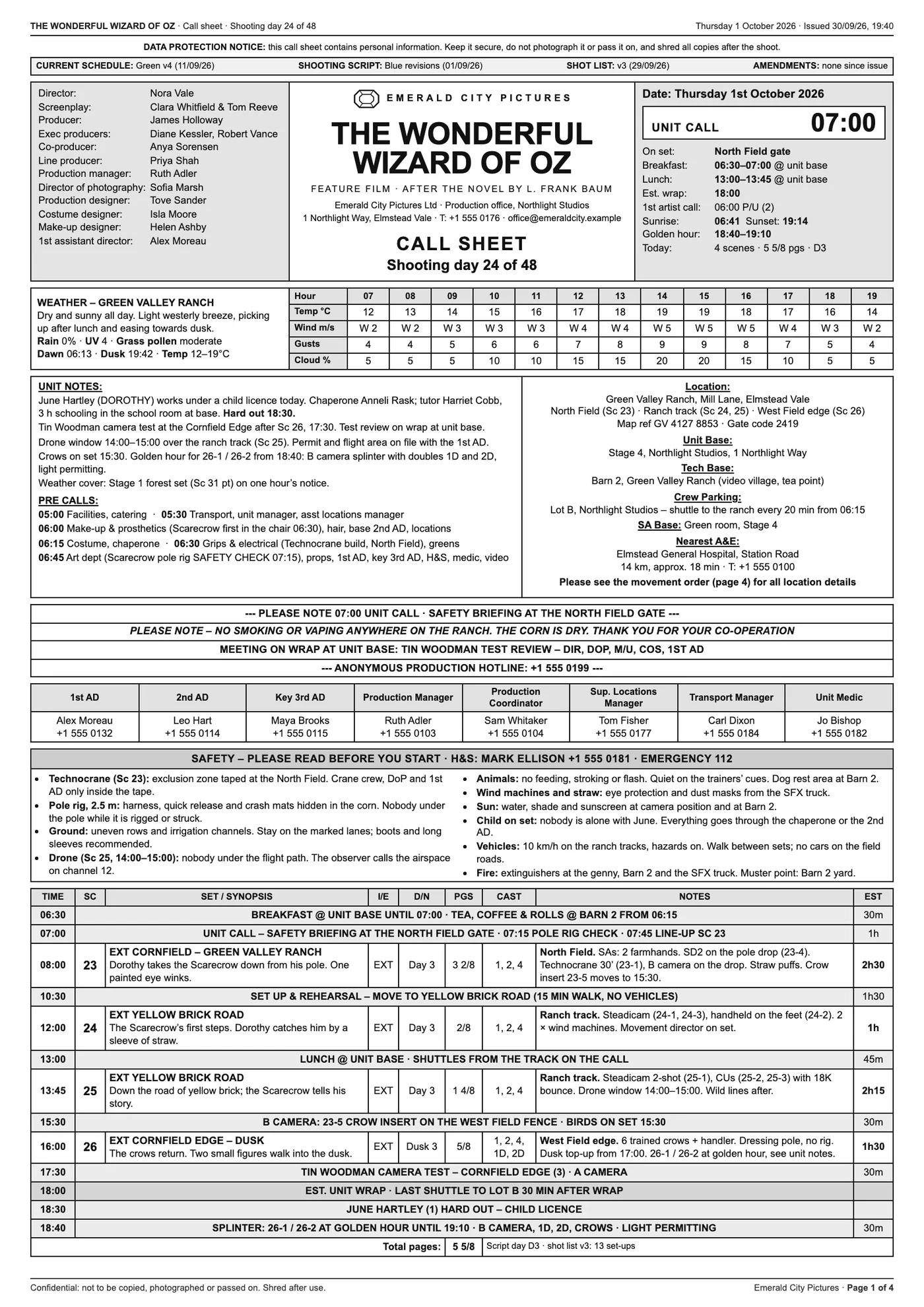
The problem
A film set runs on information. A whole bunch of information.
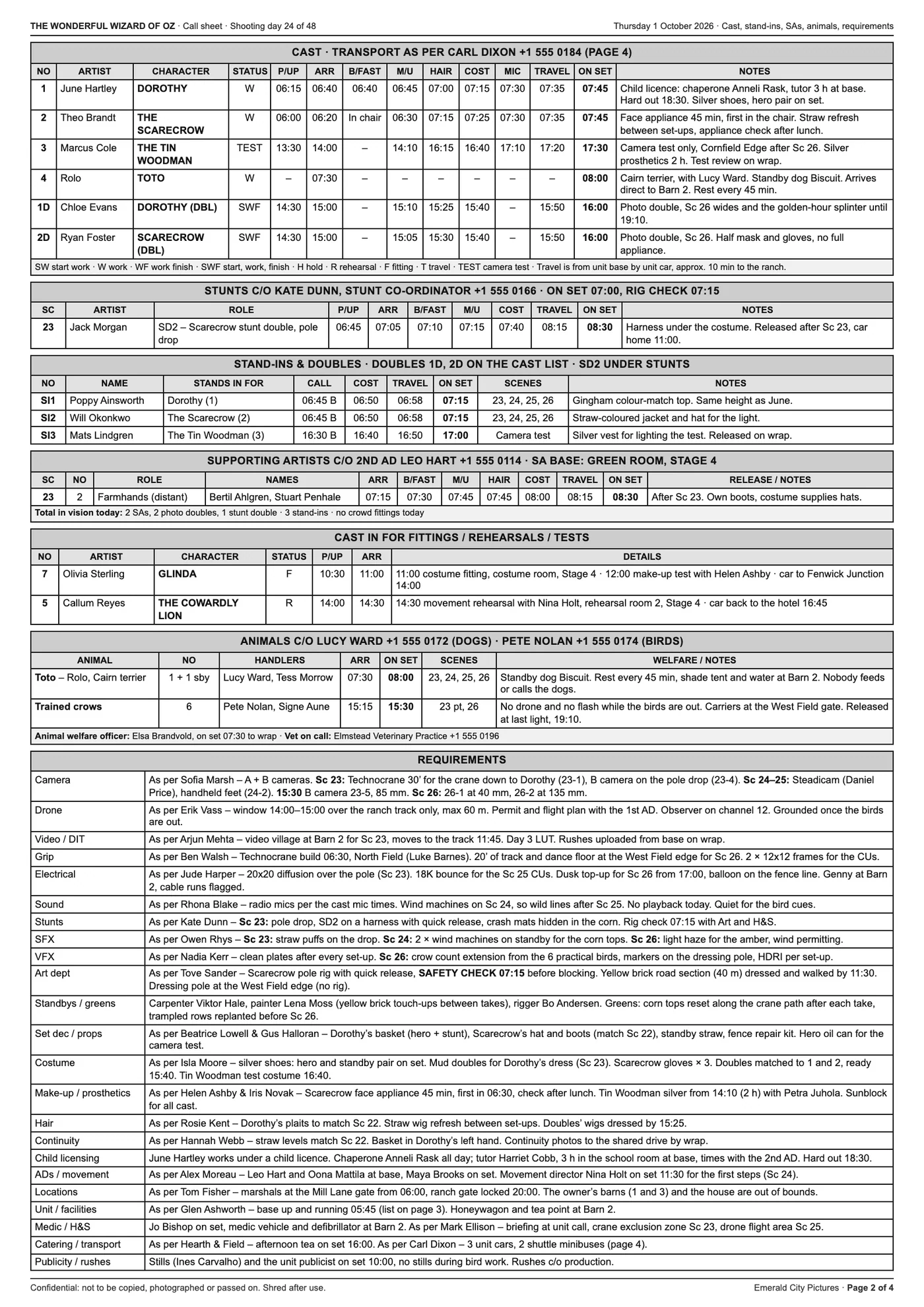
A call sheet stops being exactly true the moment it is printed. Every change after that travels by speech, and the whole day ends up living in everybody's head.
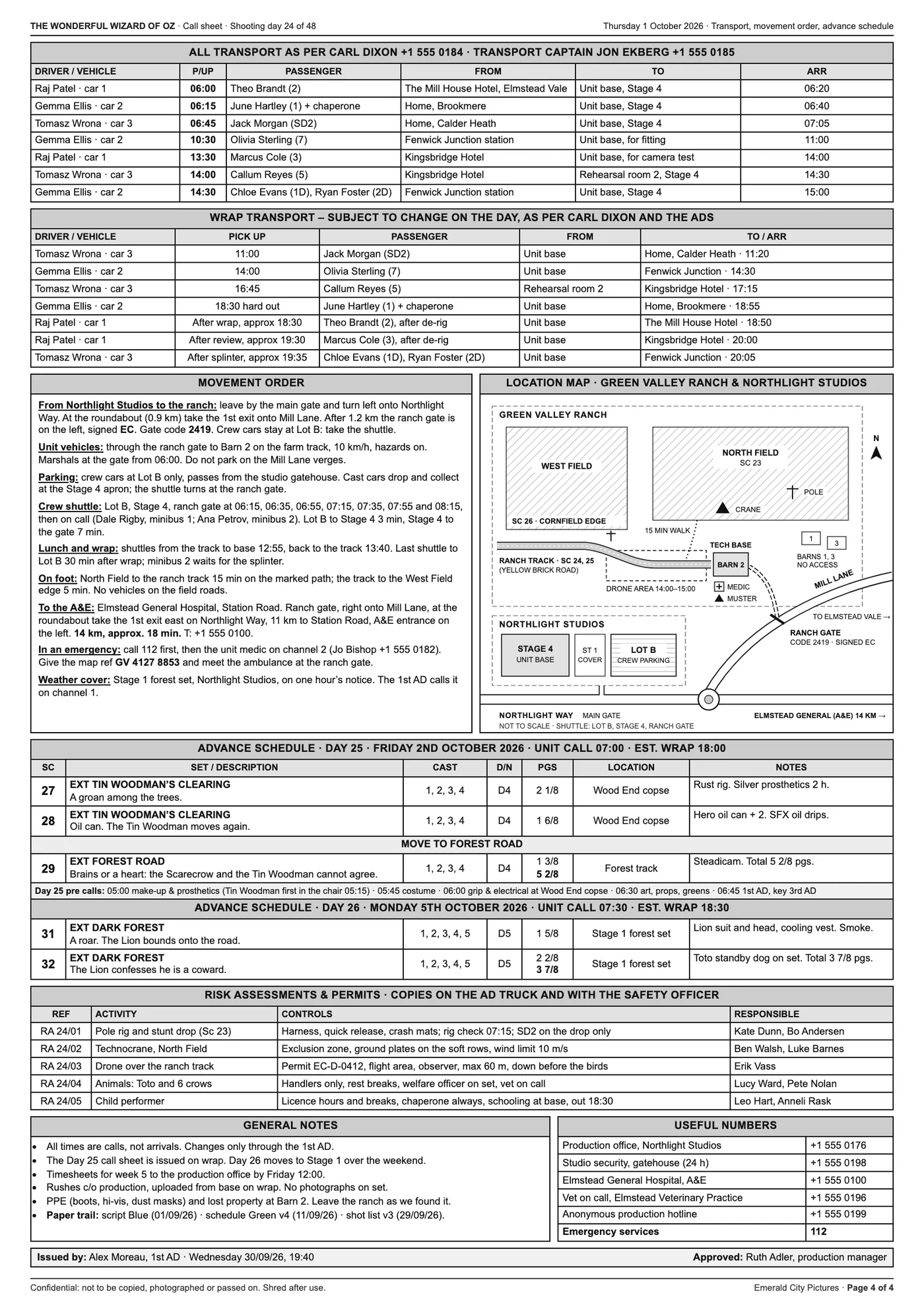
What it costs
Waiting
Half a department standing by for two hours because nobody knew when they'd actually be needed.
Mistakes
The scene got dropped at eleven and costume prepped it anyway.
Overtime
Days that overrun because the plan and the reality drifted apart.
The AD's day
The person the day depends on, spending it as a switchboard instead of leading.
SetSnitch isn't here to replace anything that's working well. It's here to give the flow of information somewhere to live besides your memory.
Meet the Snitch
A little bird with a big mouth.
Nobody likes a snitch. But SetSnitch is an exceptional fellow. It tells everyone everything. That is exactly what a film set needs: a loyal snitch that keeps an eye on the schedule and chirps when cast clears the makeup chair.
No secrets on set, no surprises at wrap. Deal?
How it works
Feed it the paperwork you already have.
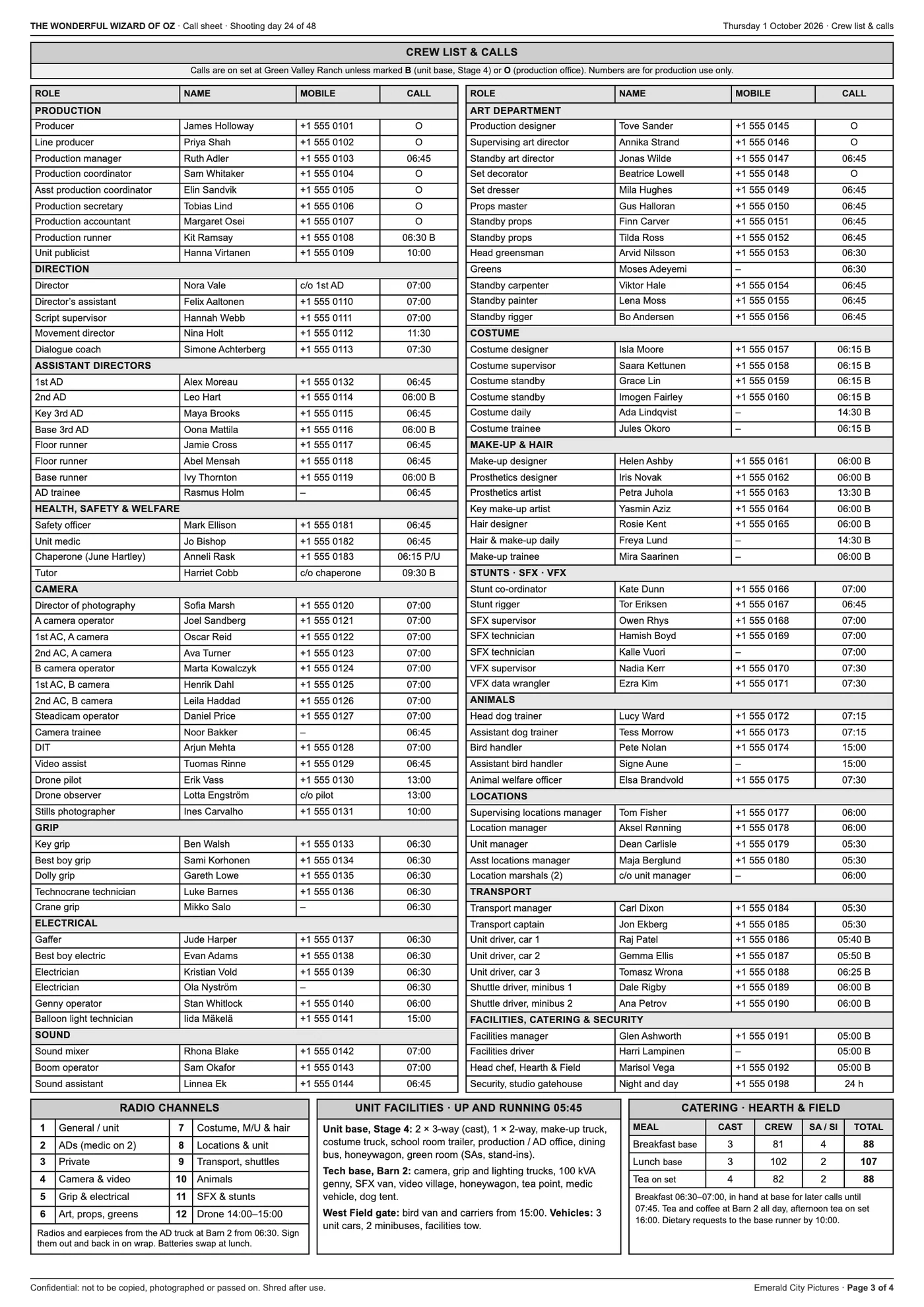
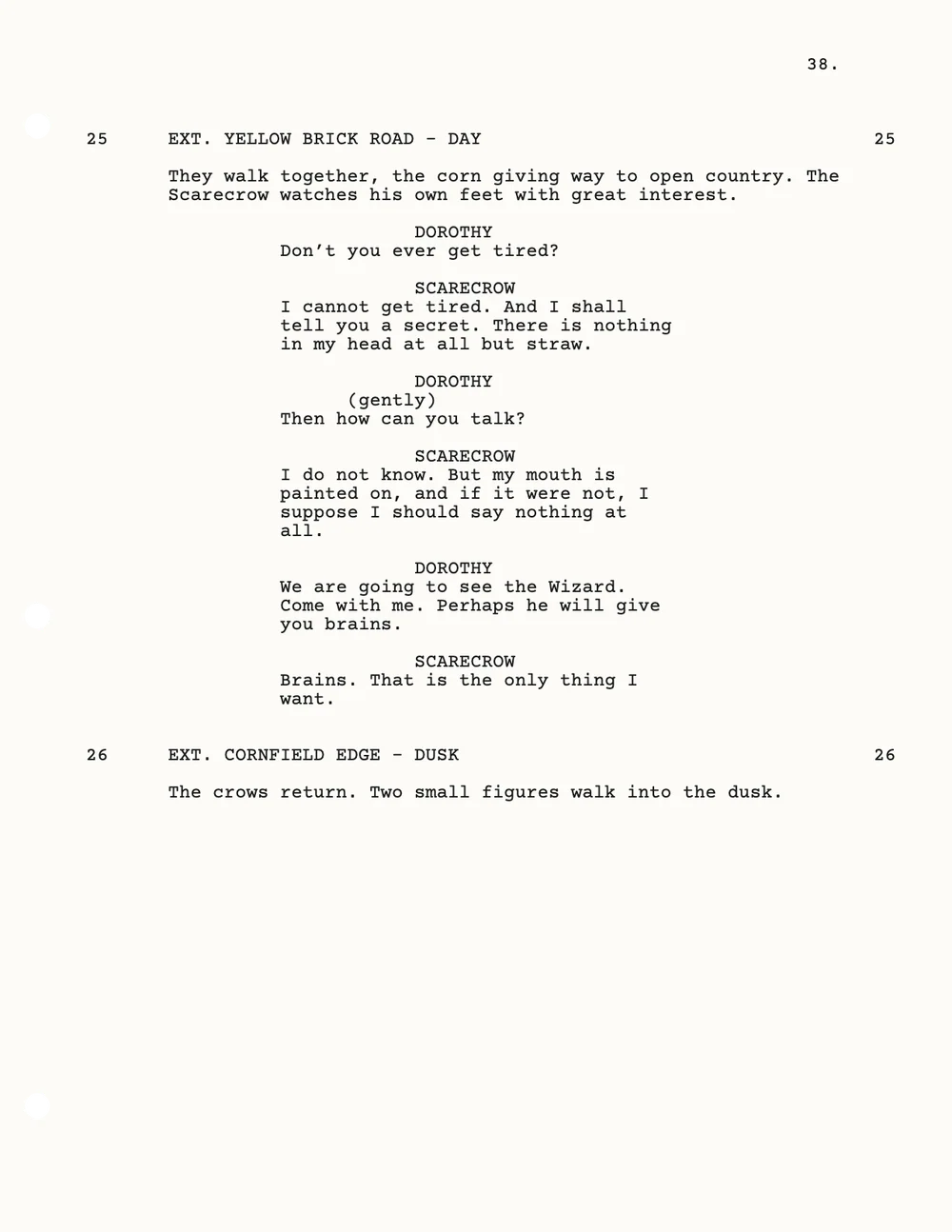
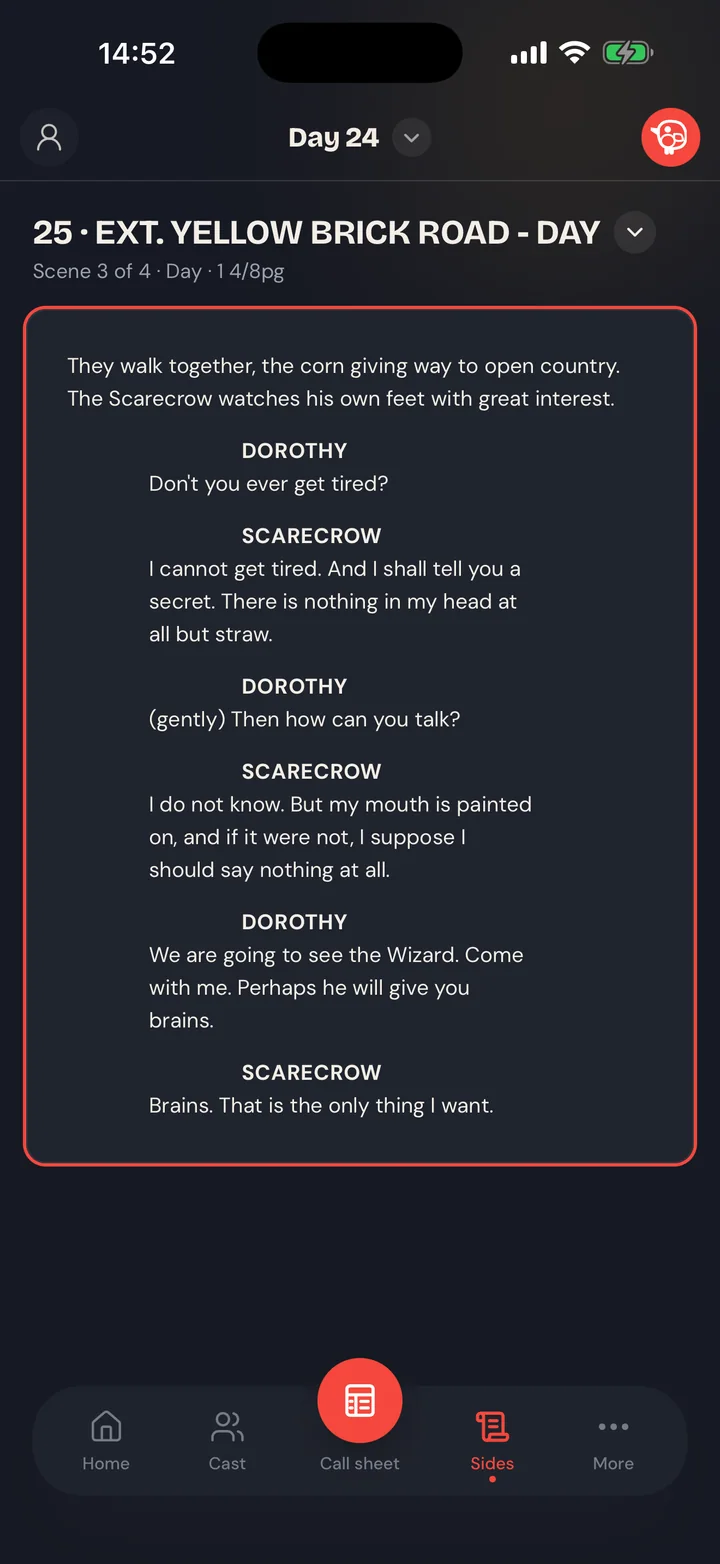
SetSnitch reads the call sheet your production already makes and takes good care of it all day, showing each crew member exactly what their job needs.
- 01
Bring the day in
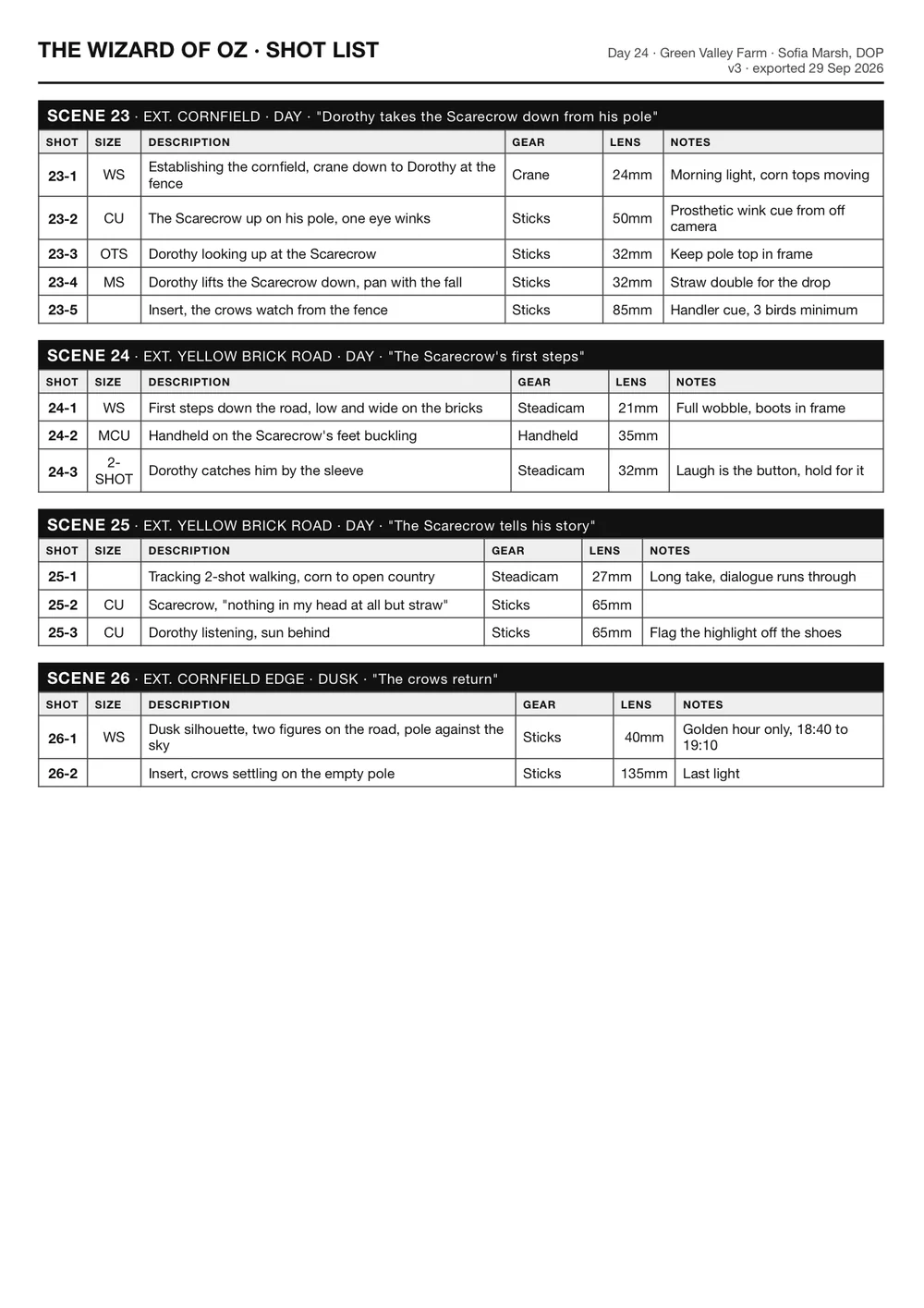
Running the production in the Nest? The day comes straight from it. Running the app on its own with Filmmaker? Drop in the call sheet you already make, with the script and the shot lists if you have them.
- 02
The day builds itself
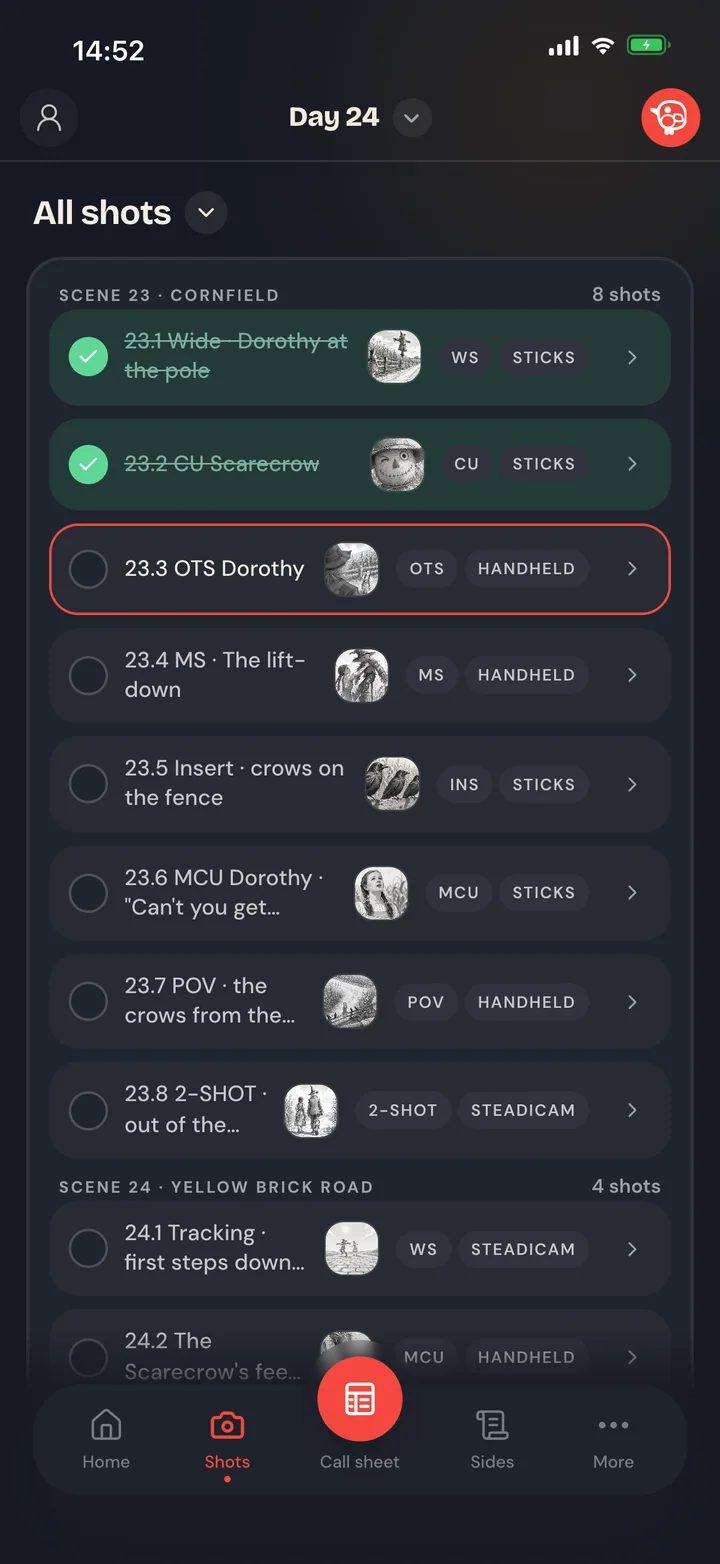
The Snitch reads them into a working day: scenes, sides, cast and crew, calls, breaks and moves. Every shot lands on its scene, even from a list made in another app.
- 03
Share it with the crew
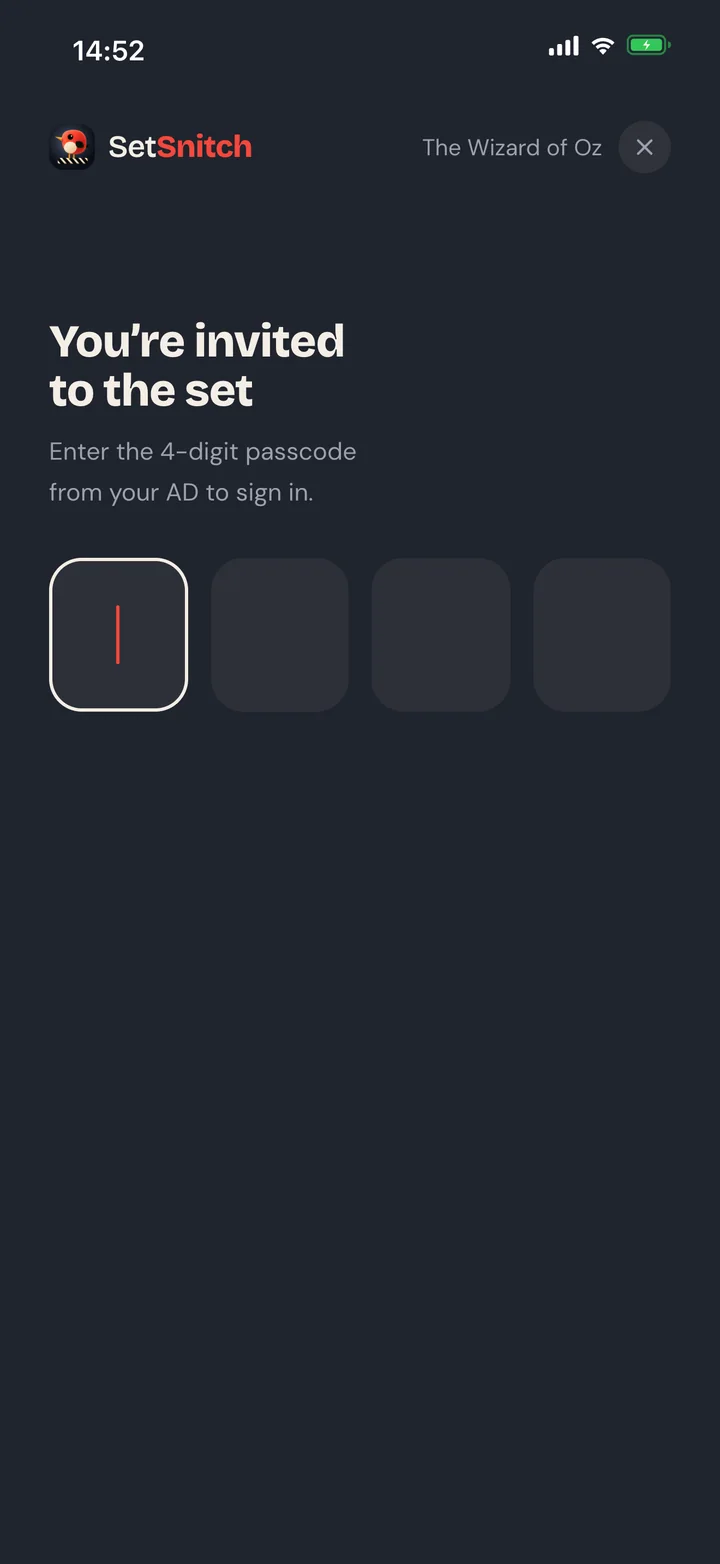
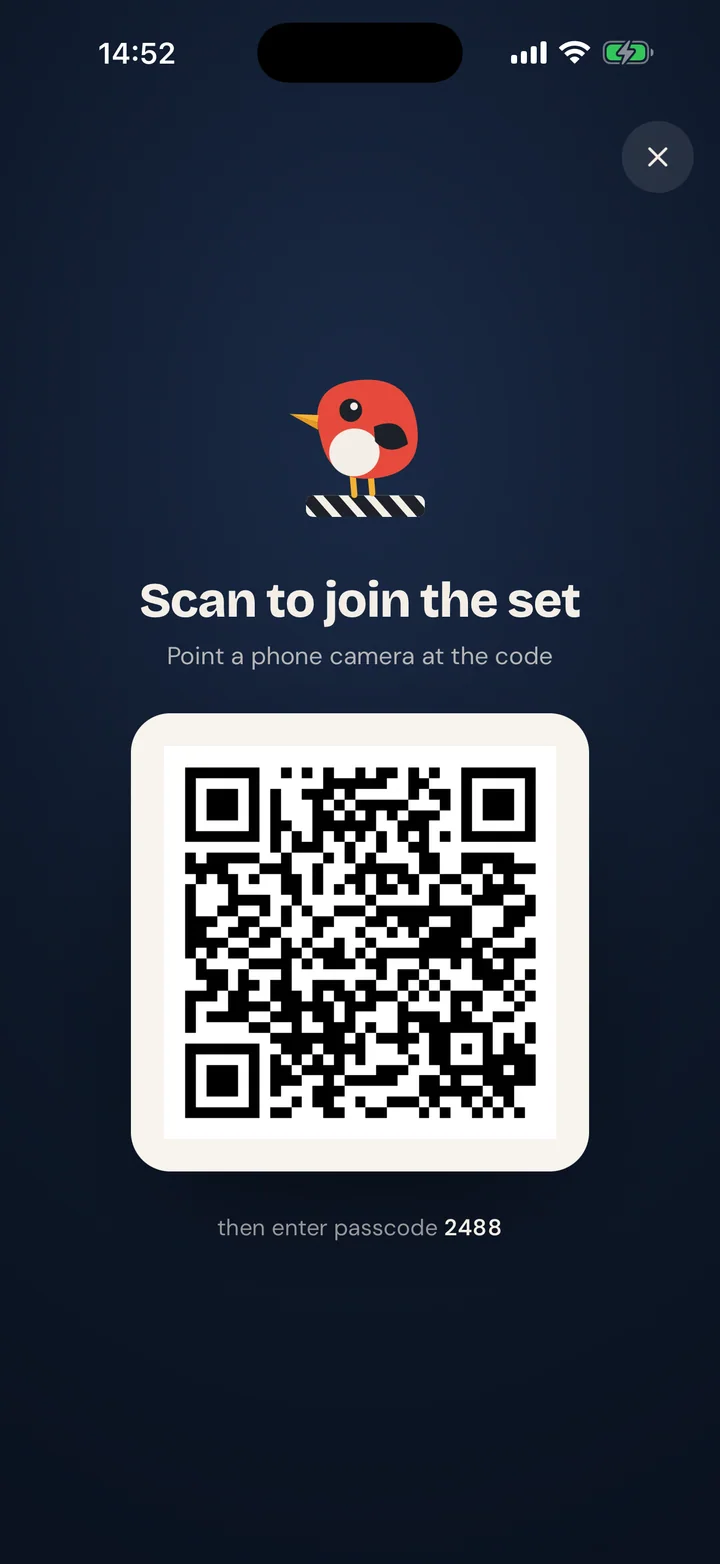
One link and a six-digit code from the AD. They're in with the right role for their department, free.
- 04
Time to shoot
Everyone on the same page, all day. Simple as that.
The heart of it
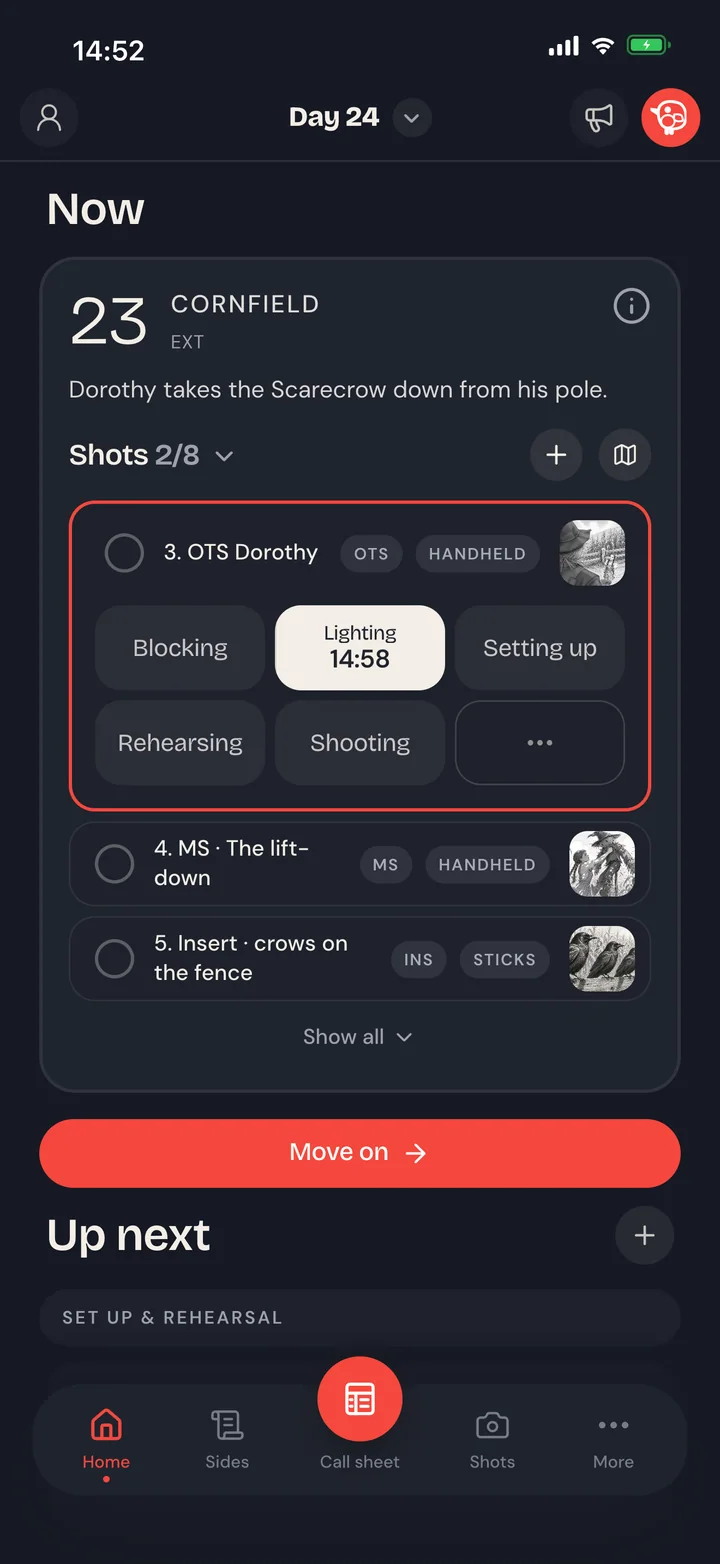
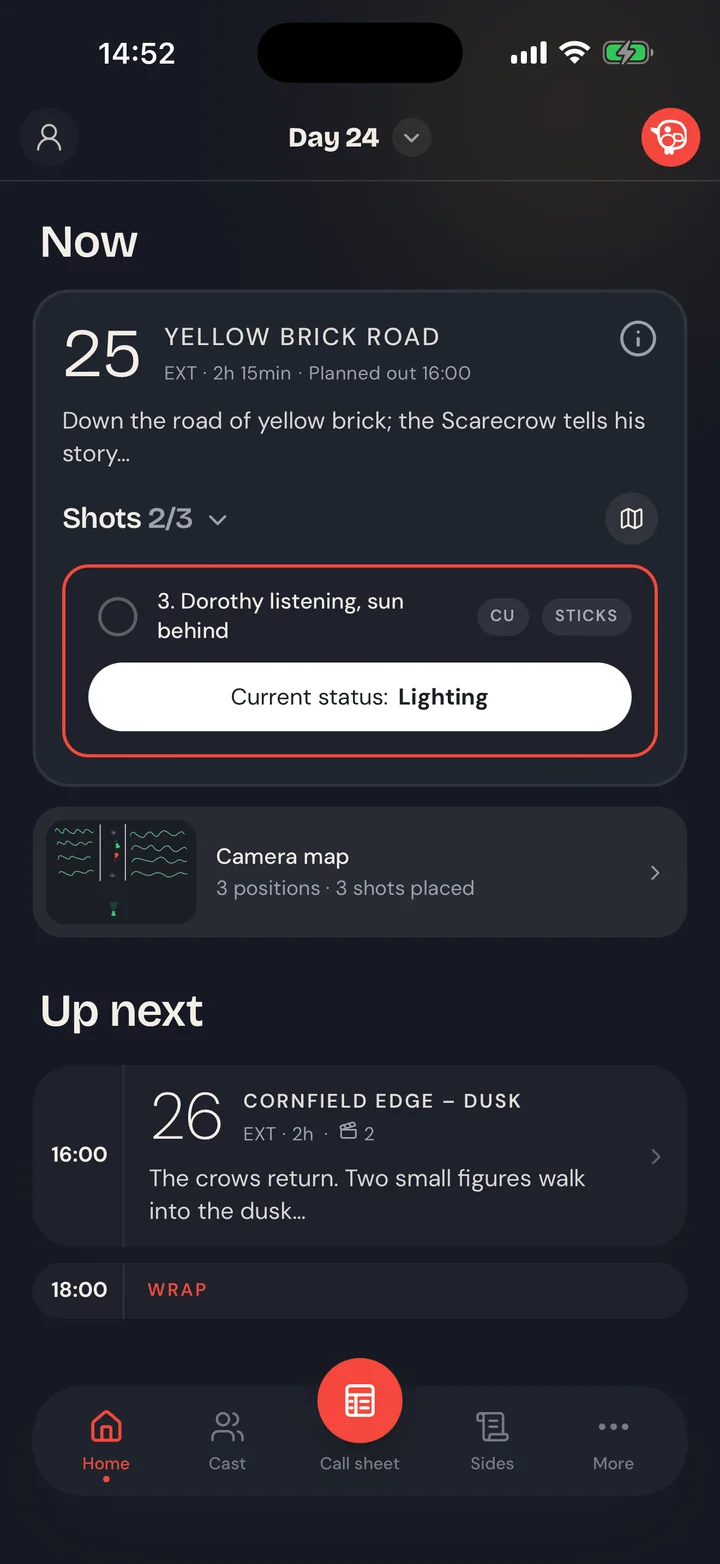
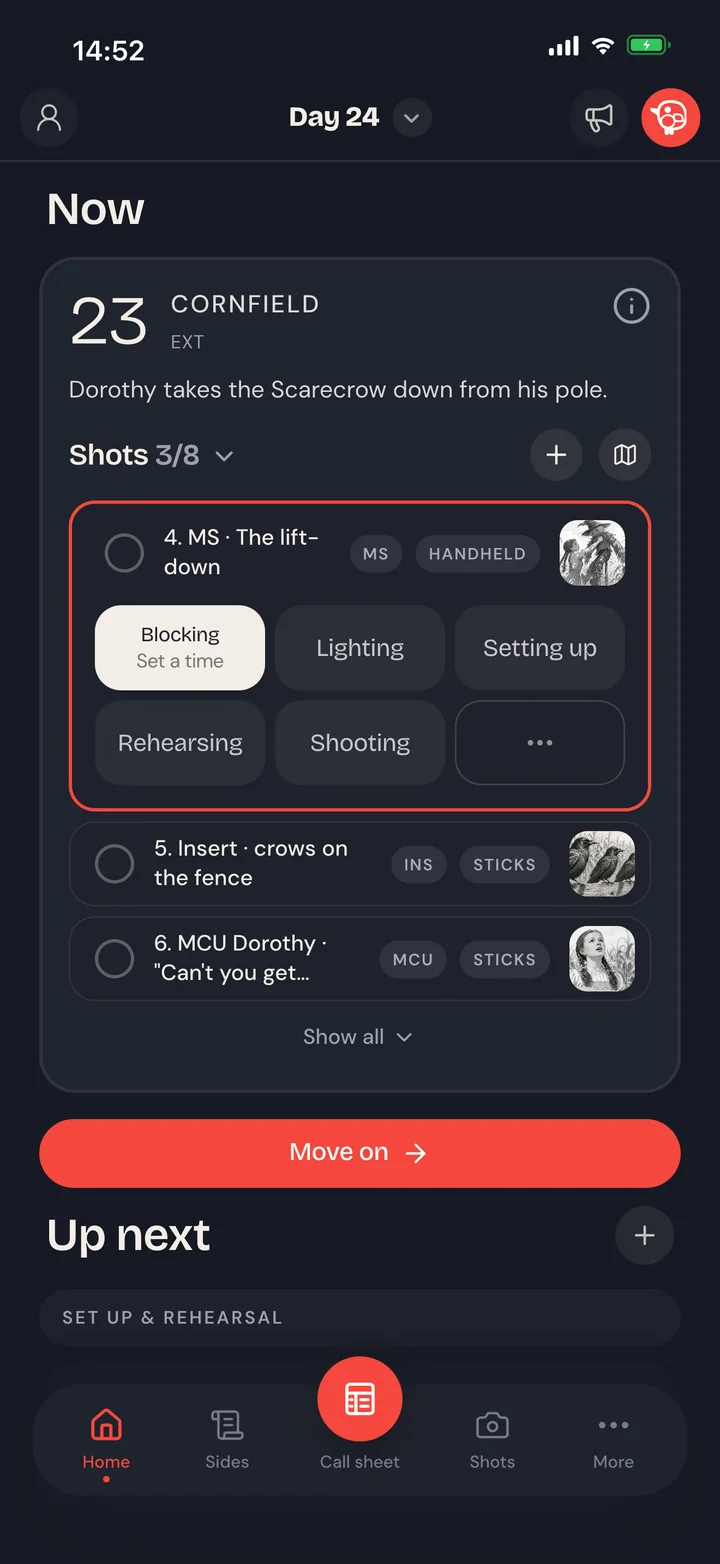
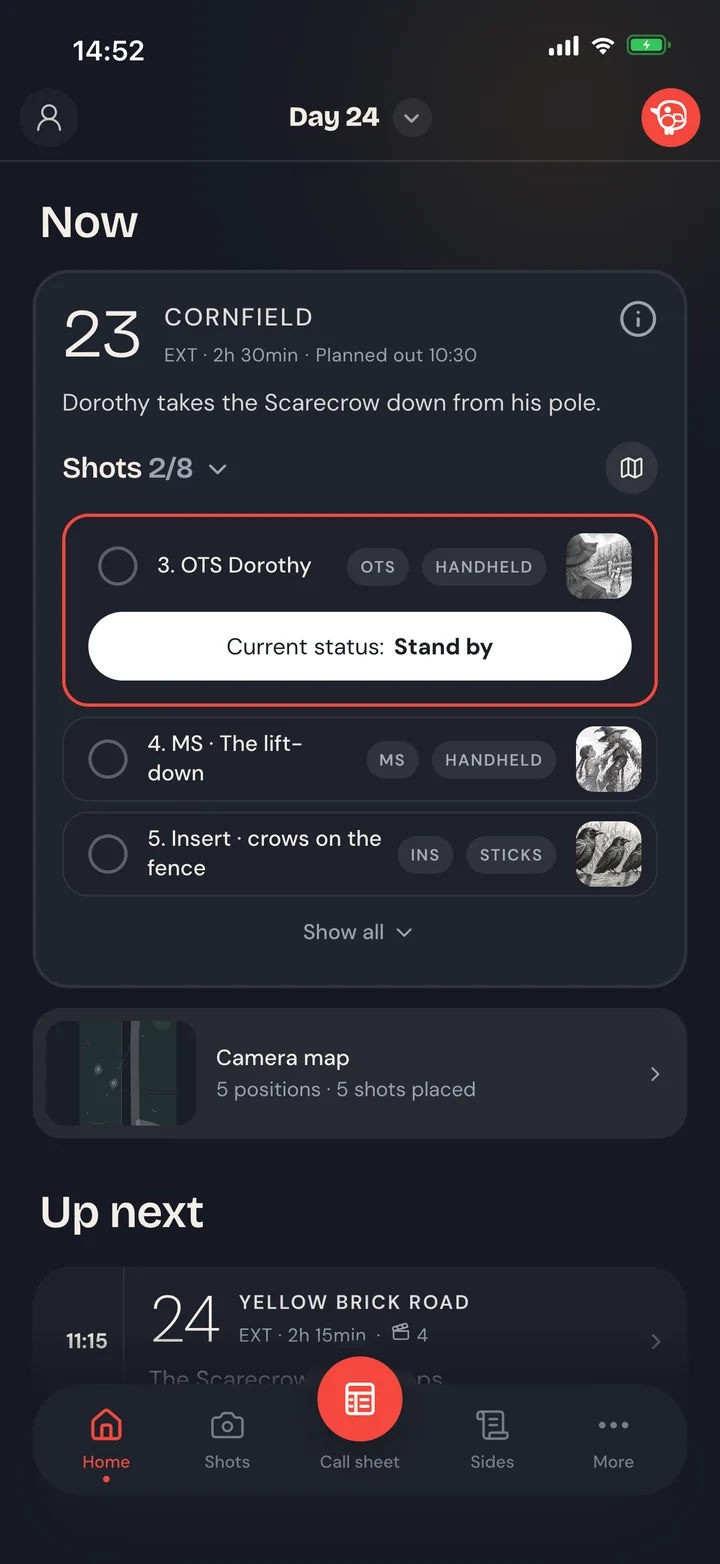
Run the day scene by scene.
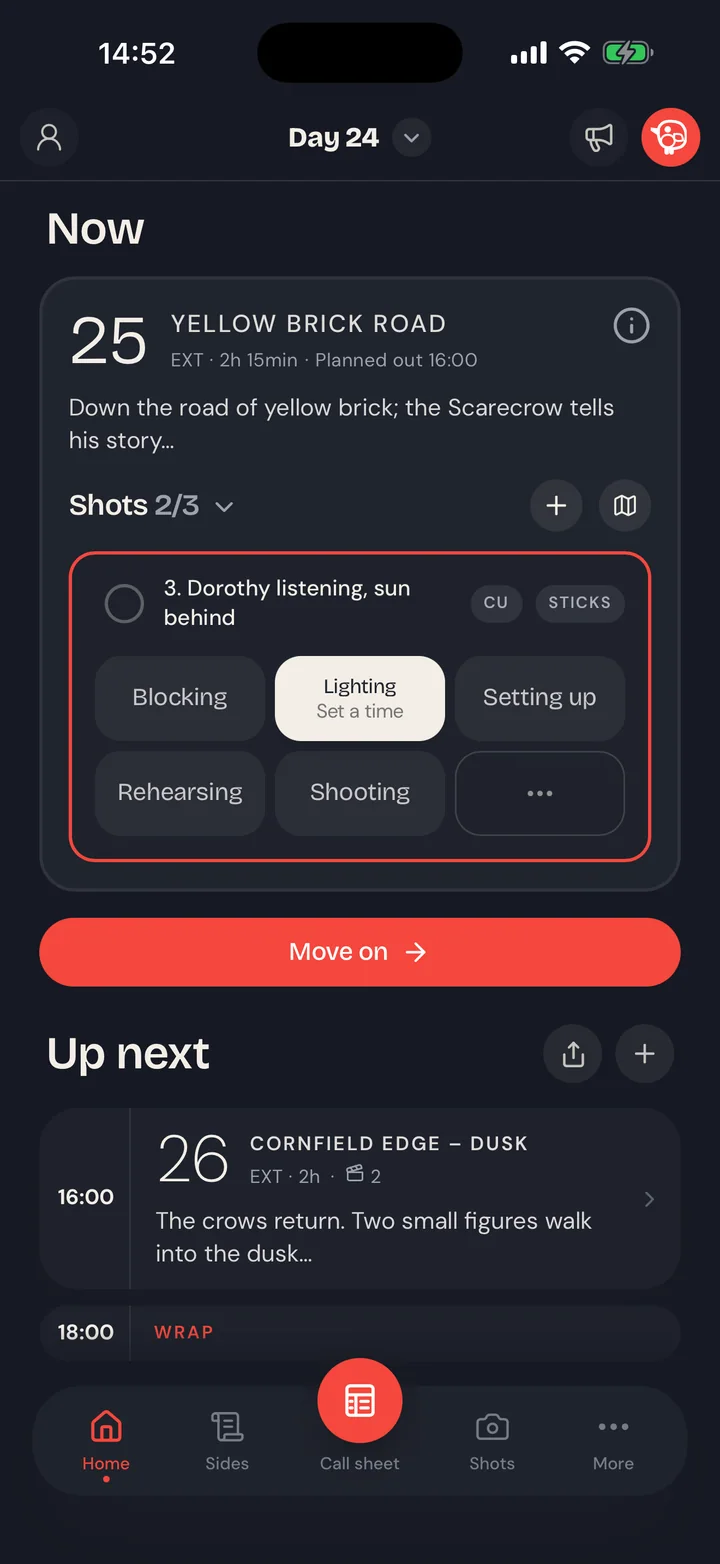
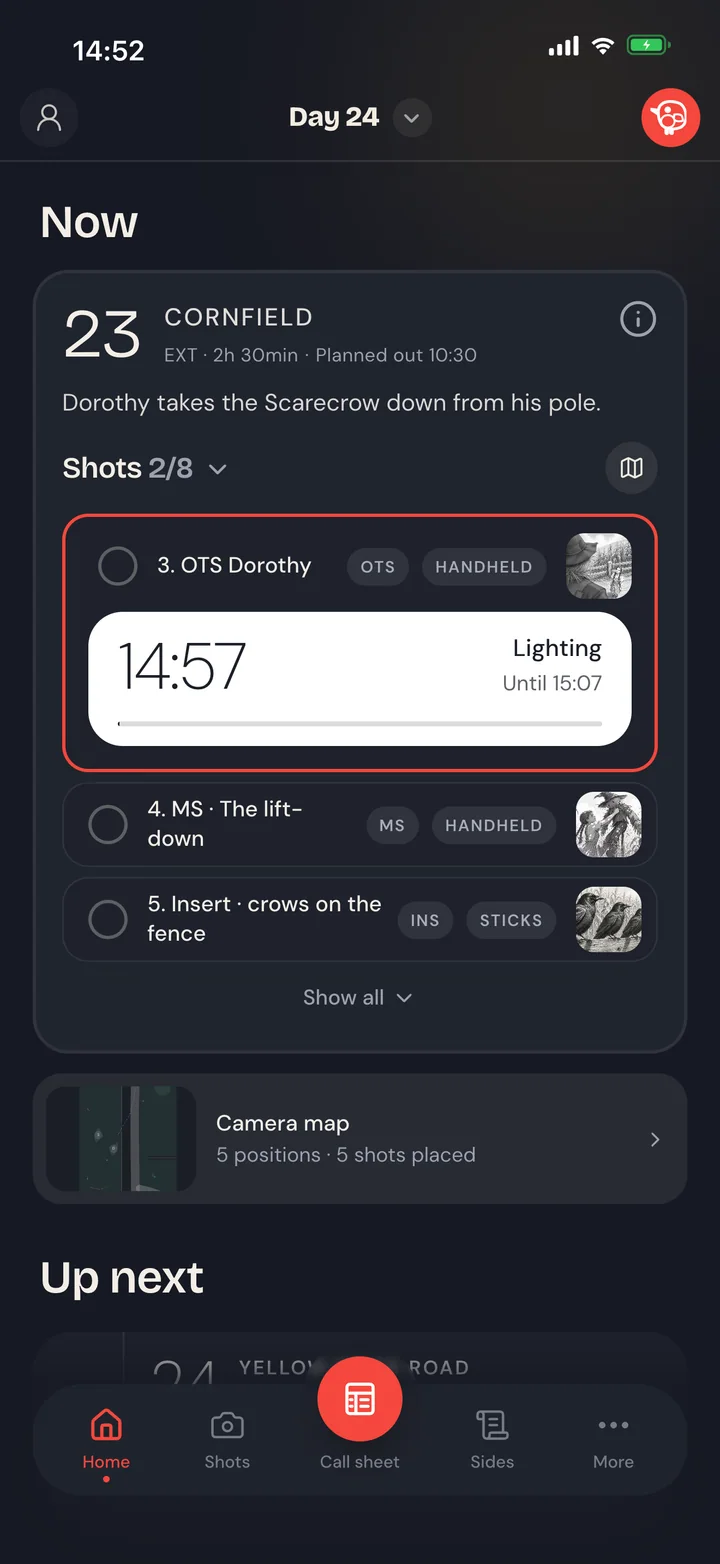
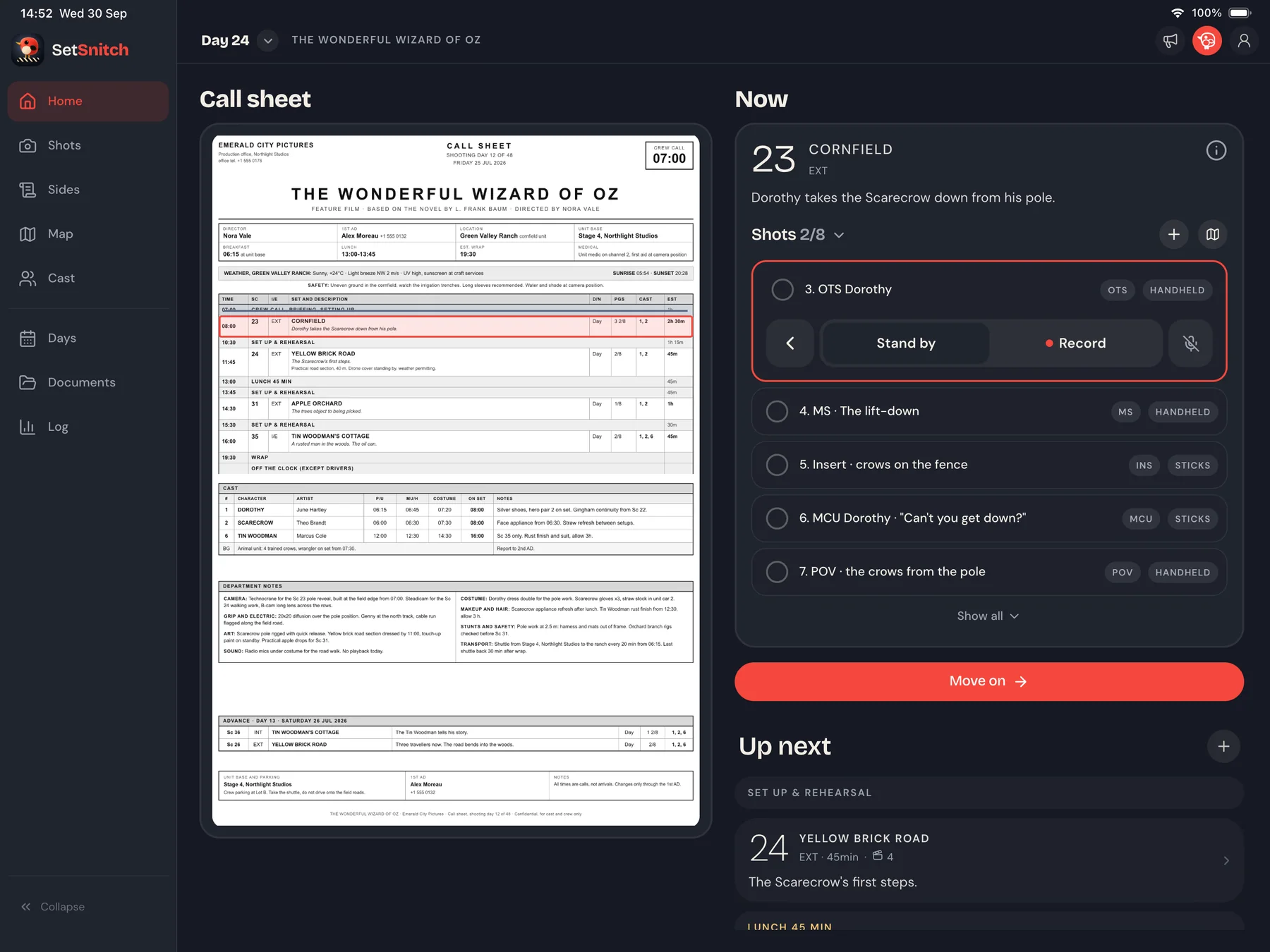
Move through blocking, lighting, rehearsal and shooting with a tap. Give a phase a time, and everyone sees the clock run down.
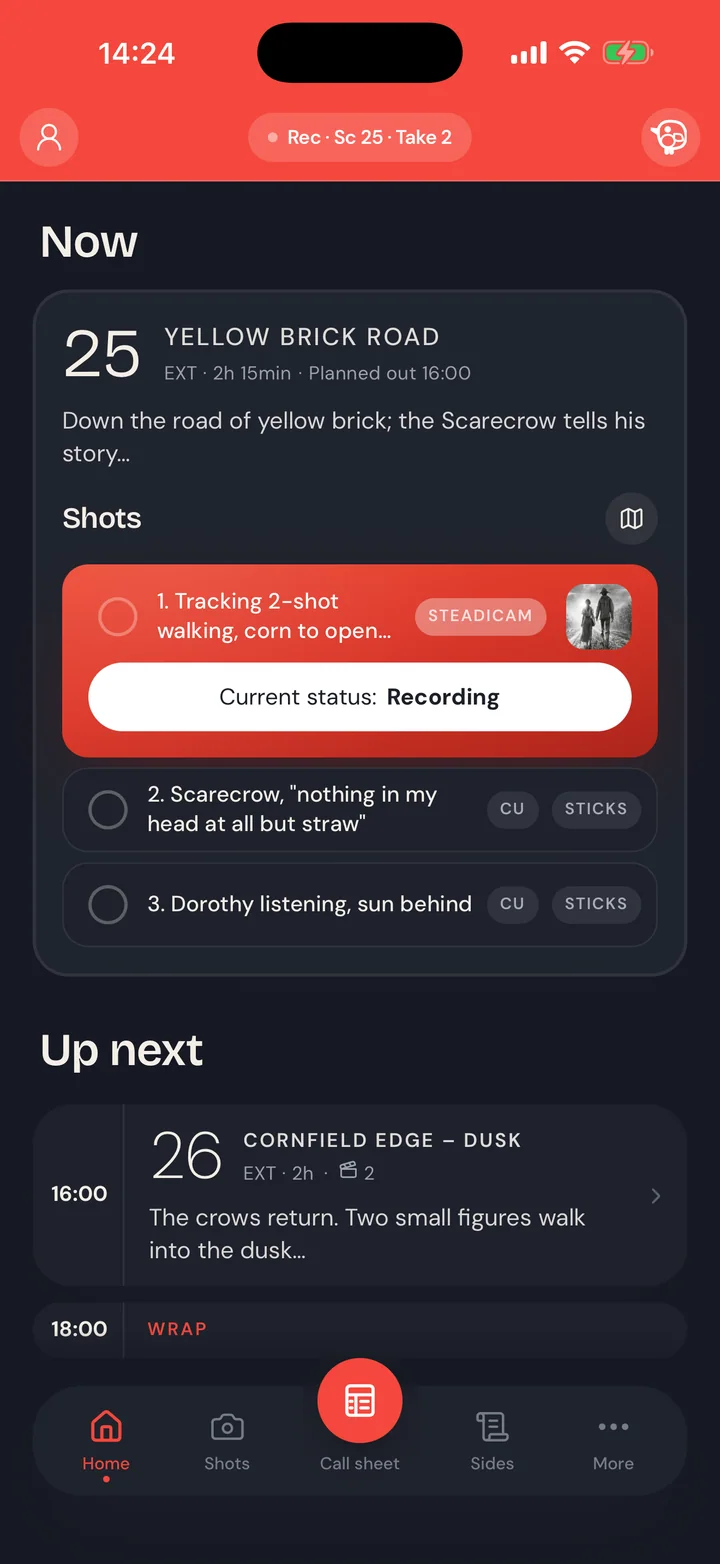
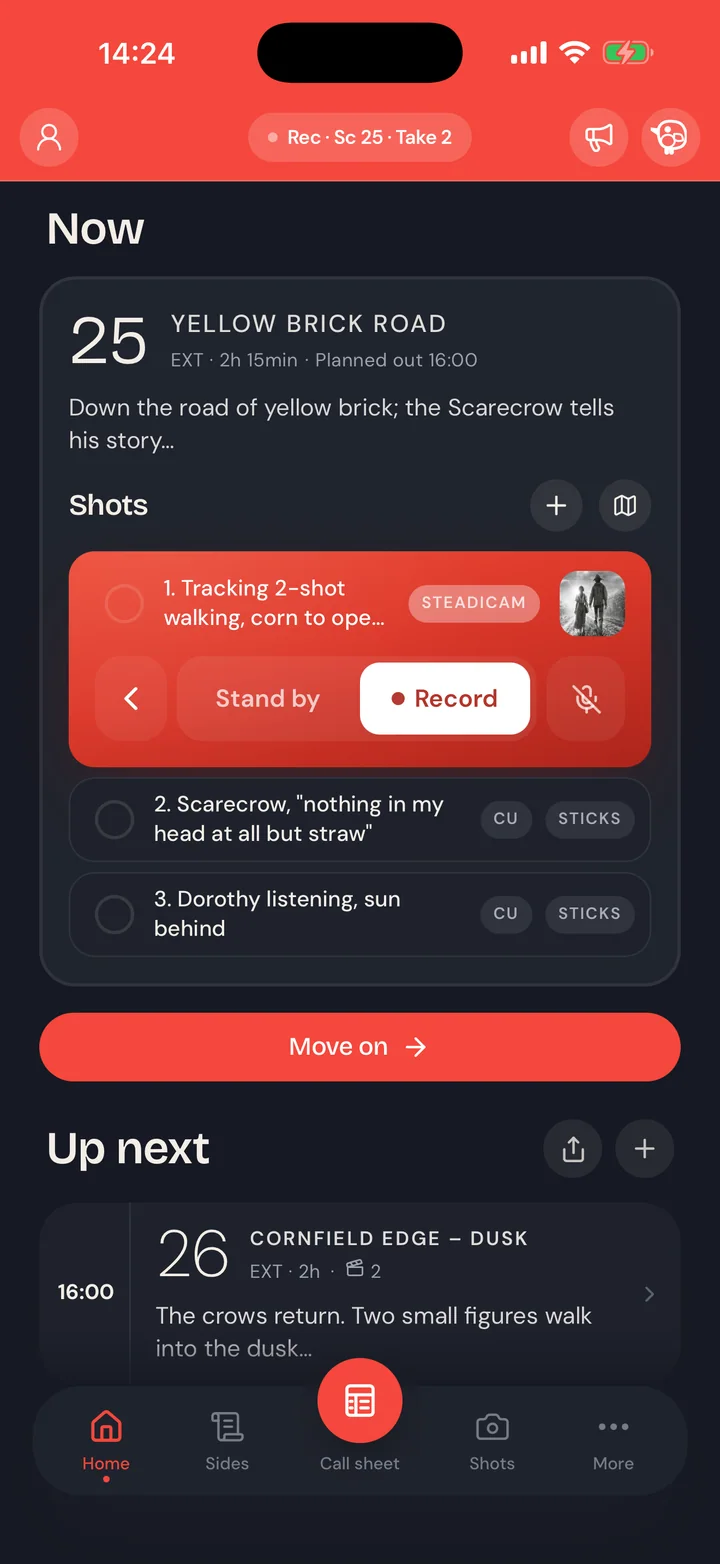
Shots tick off as they land, Stand by and Record follow the camera, and Move on takes the set to the next scene. Add scenes, shots and breaks as the day changes, and the plan keeps up.
Hey Snitch
Hands full? Just say it.
Press the Action Button or say “Hey Snitch”, then make the call in your own words. The floor moves for everyone, and a buzz in your pocket tells you it's done.
- On iPhone, even locked in your pocket
- Or tap its button on the Lock Screen
- In English and Finnish
- No audio is ever sent, only the words after “Hey Snitch”
And the crew follows in real time.
When the AD moves the day, the whole crew sees the scene on the floor, the phase it is in, and how long that phase has left.
Every device on set catches it in a split second: the current scene, what's coming next, what time lunch actually happens. The answer to “what are we on?” is already in your pocket.
When cameras roll
“Everything turns red.”
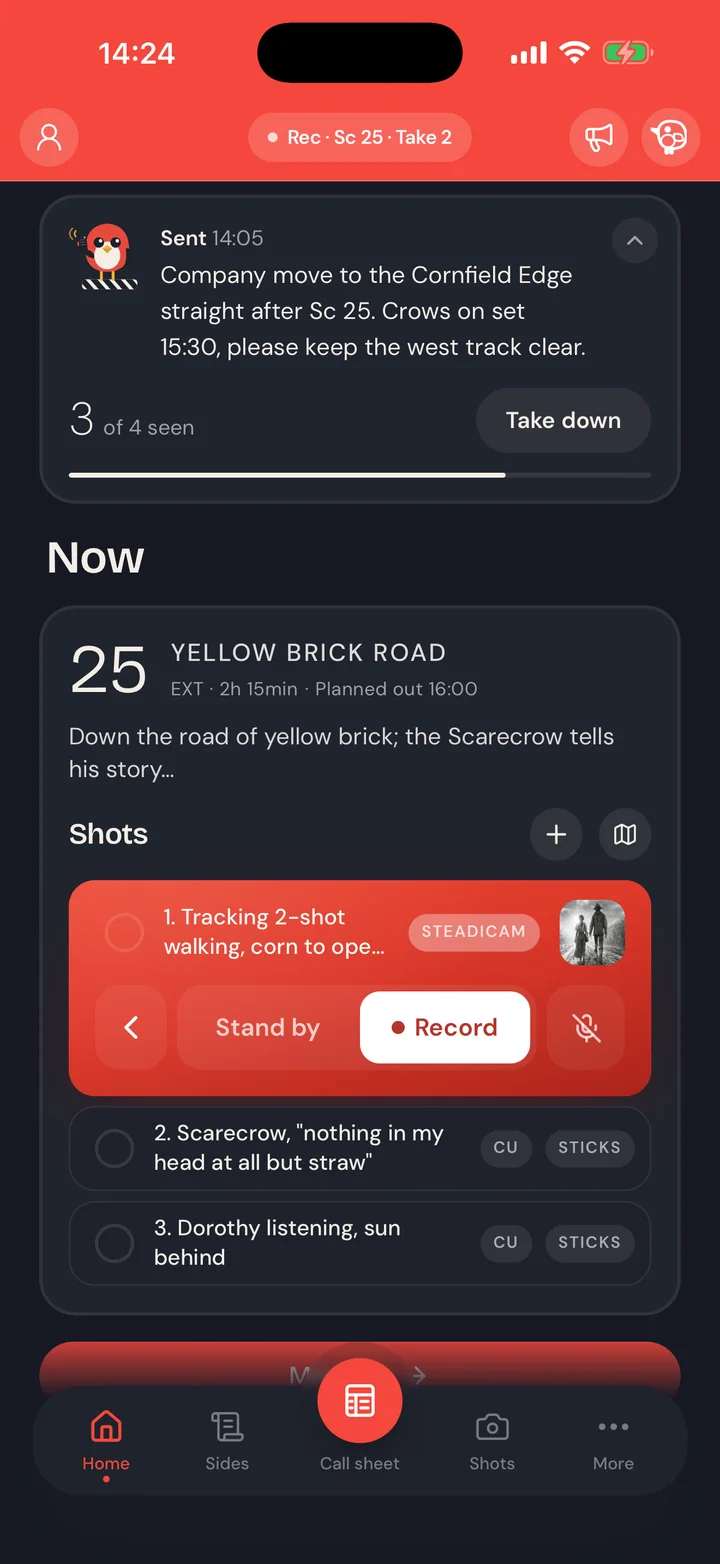
On a sound stage there's a red on-air light above the door, and nobody opens that door while it's lit. SetSnitch puts that same light in every device on set.
The moment the camera rolls, the now-card goes red on every device. Even if you're running errands far away from the cameras and lights. The runner walking back from the car, the department out at the truck, and everyone past the reach of a walkie: they know. It is on.
Camera maps, live for the whole crew.
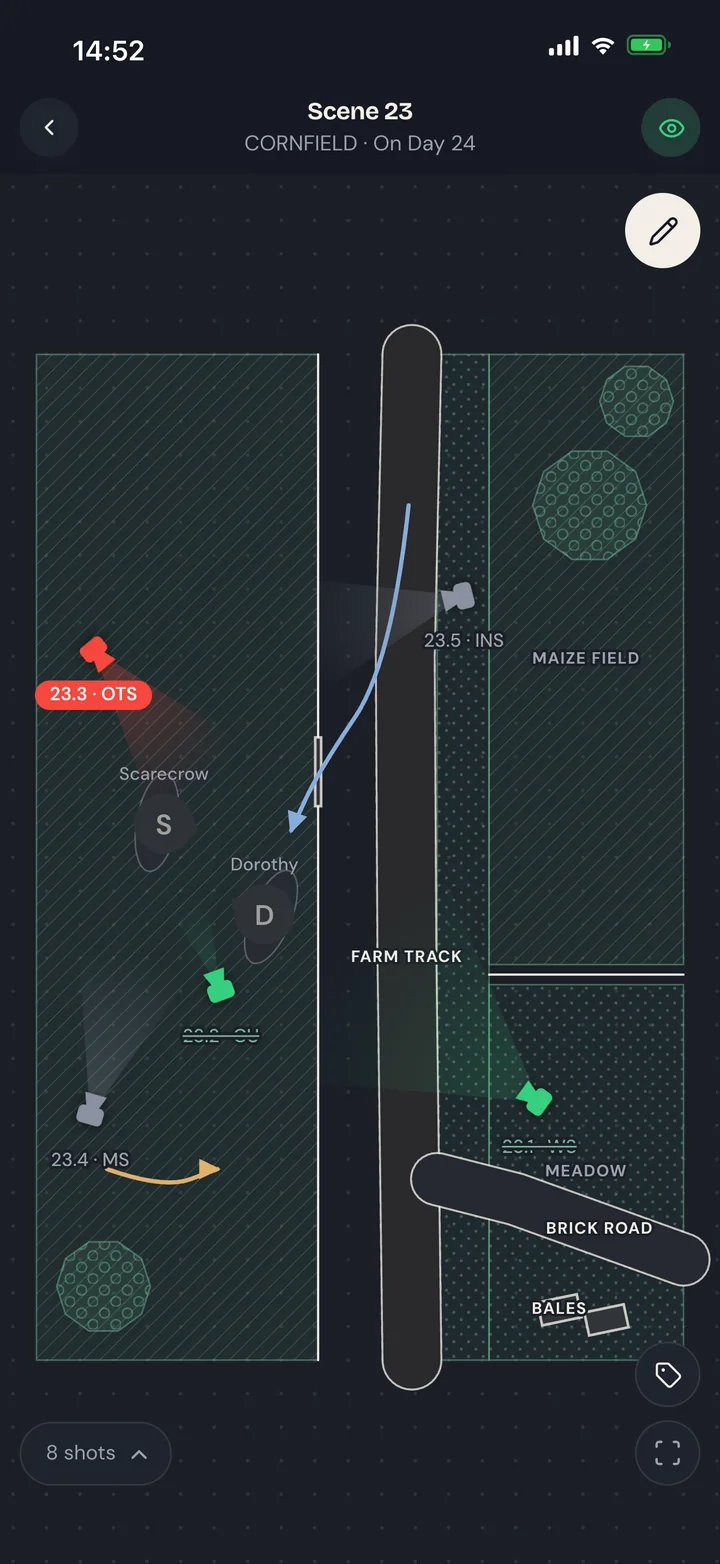
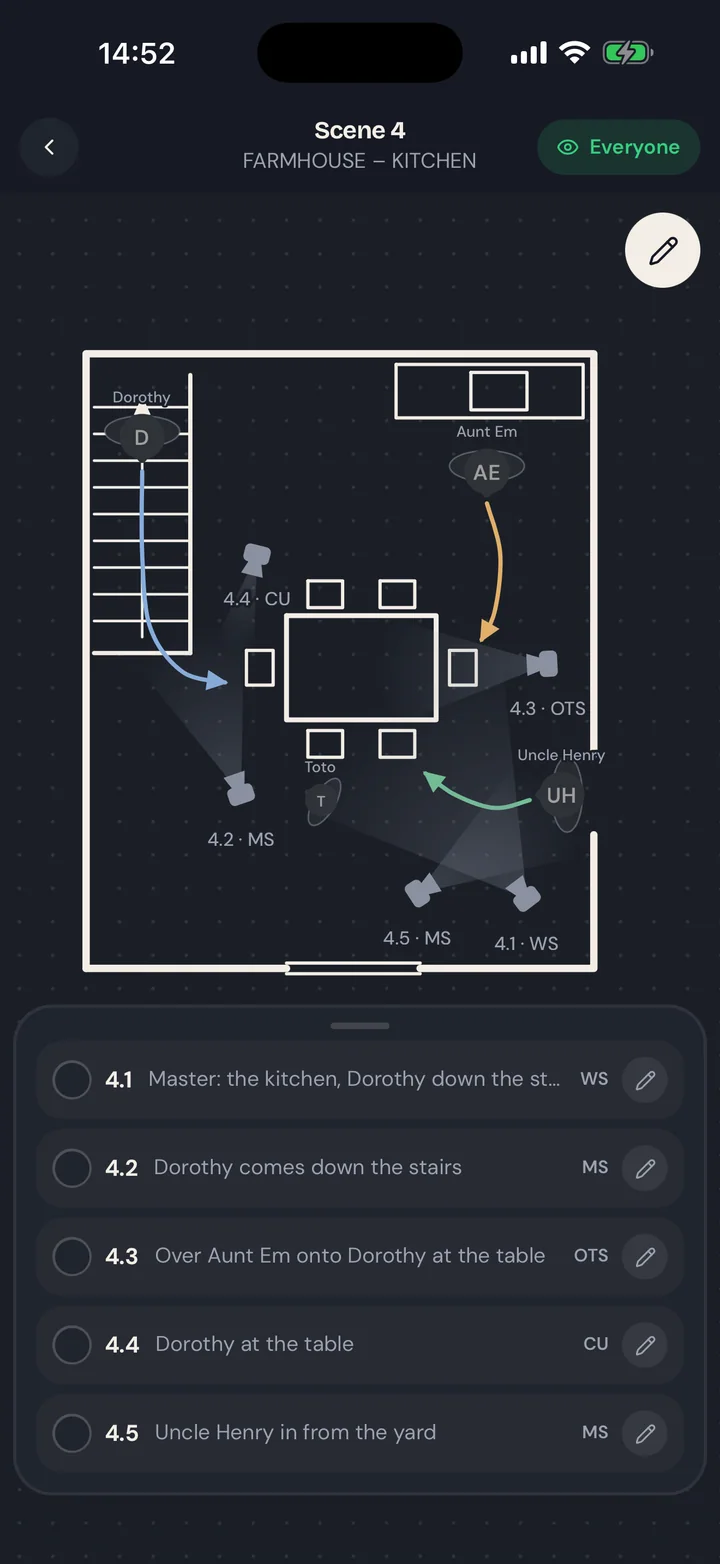
Shot lists and interactive camera maps update live on every crew device.
Find the real place on the map and its roads and buildings are drawn in for you. Or take a few photos turning round where you stand, and the Snitch draws the place itself.
Then add the actors' moves and every camera position, each one tied to its shot. The whole crew sees the map the floor draws, and it changes the moment the plan does.
One message to the whole set.
Send a notice to the whole crew in seconds and see who has read it.
A company move, a weather call, a change of plan: it reaches everyone at once, and the count shows who has seen it. Take it down when it's done.
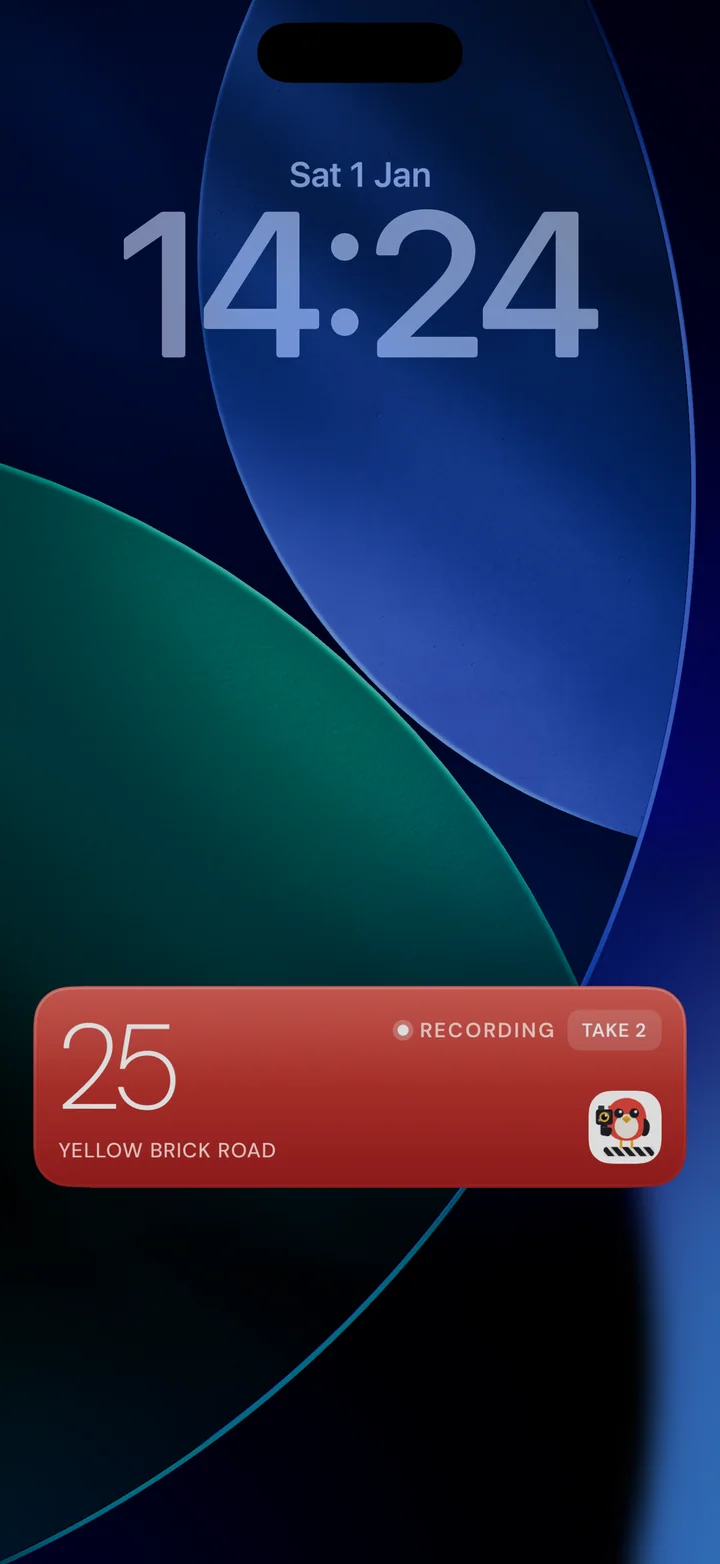
The day stays on your Lock Screen.
The current scene and phase sit on the Lock Screen and in the Dynamic Island, so a glance is enough.
When the camera rolls it turns red there too, with the take. No unlocking, no opening the app.
Role by role
Every role gets their own unique view, not a generic feed.
Assistant Directors
All controls in the palm of your hand
- One tap moves the set
- Build the day as you go
- The bird's eye view
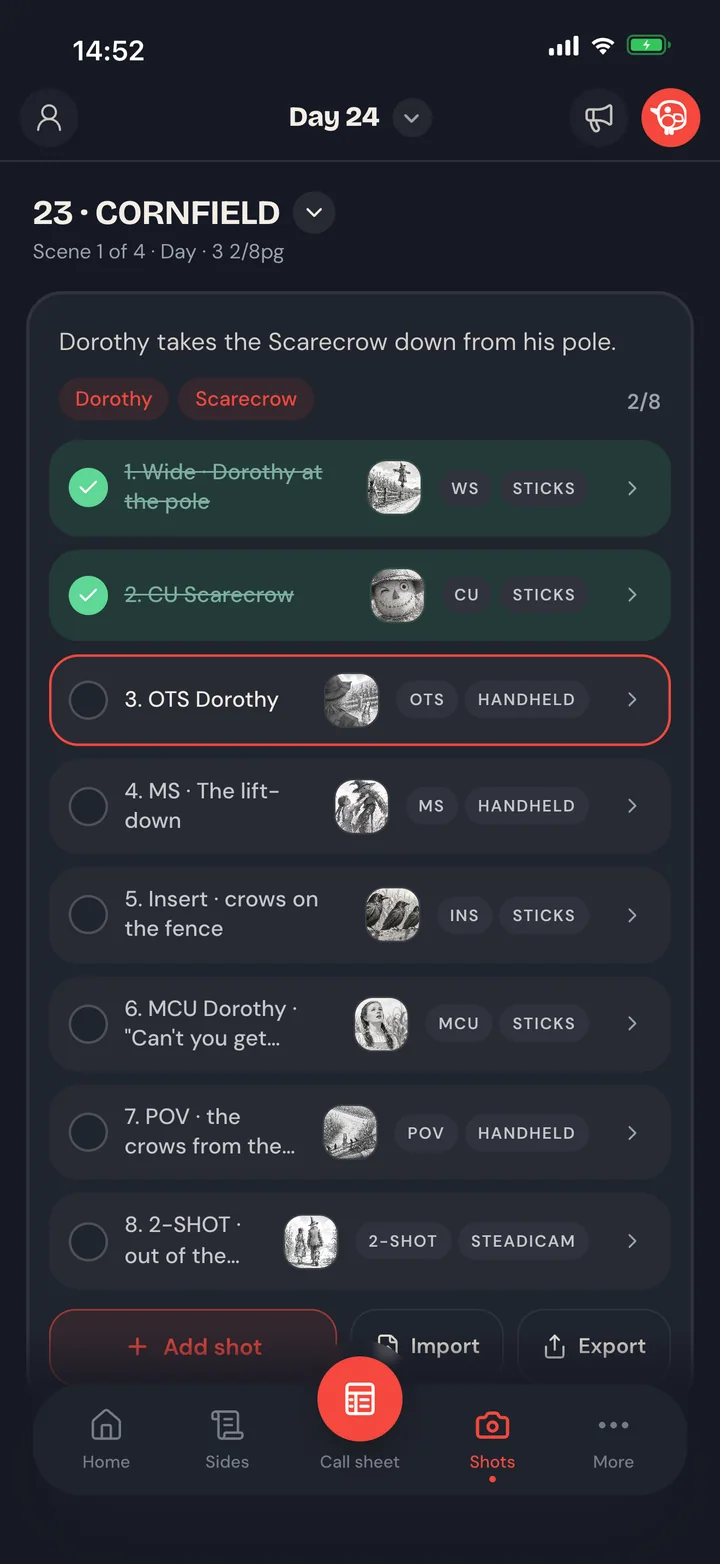
Director & DOP
A shot list that keeps up with the day
- Build it, then tick it off
- Daylight, found for you
- Pictures on every planned shot
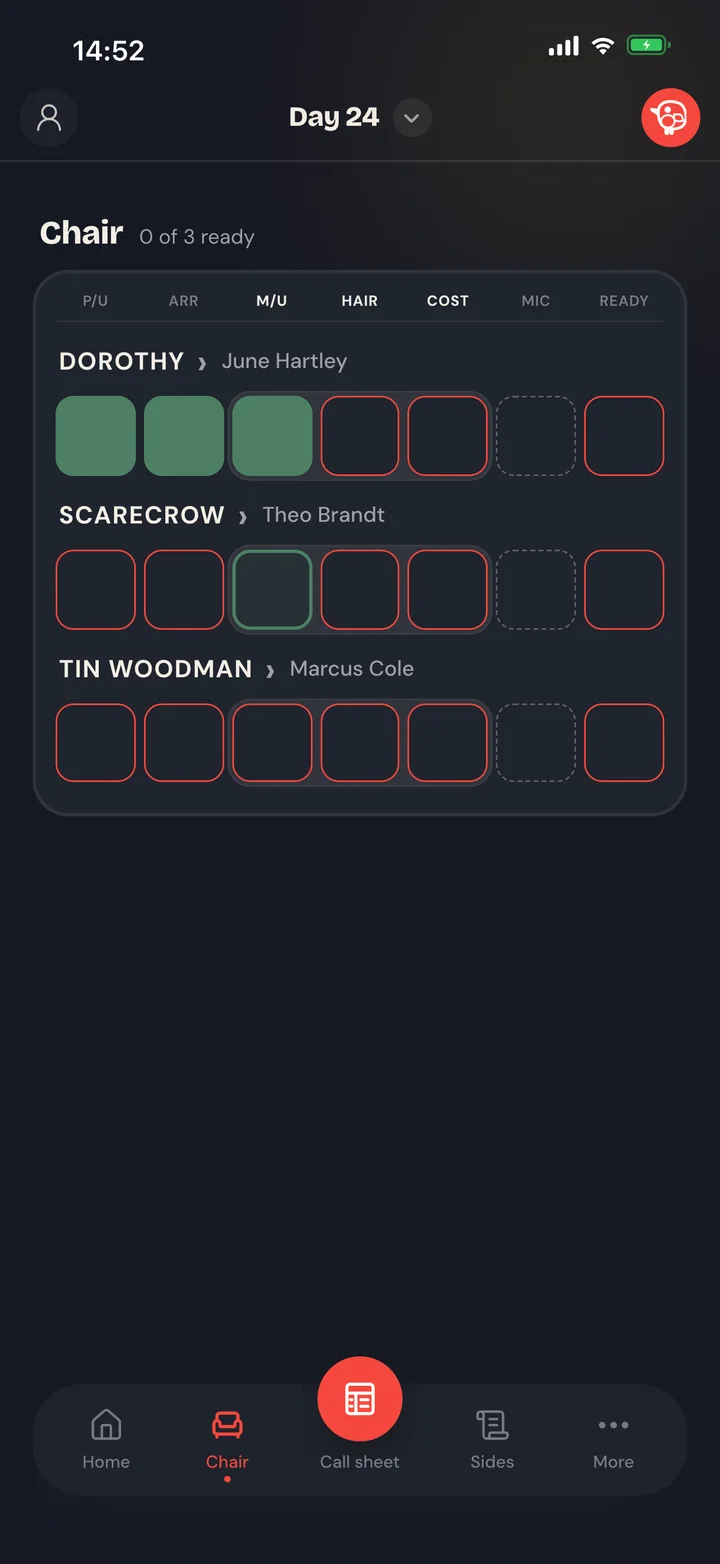
Make-up, hair & costume
The chair, visualized
- Who's in, who's next, who's ready
- Continuity that files itself
- Look notes ride the sheet
Every other department
Clear sight of the day, whatever the job
- Everyone sees the day move
- Only what's relevant
- In with one link
Wrap
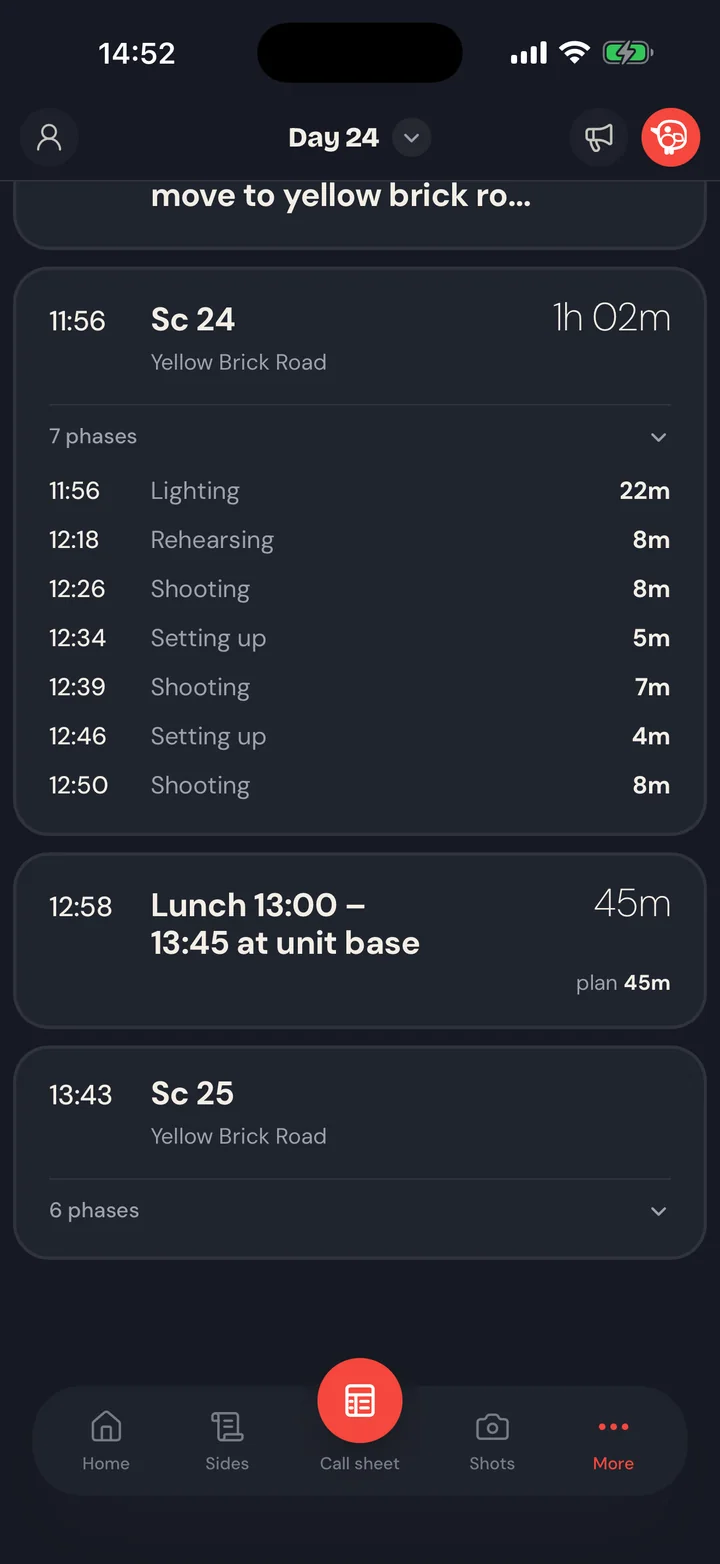
The report writes itself.
When the AD calls wrap, the day is already logged: how it actually turned out, scene by scene, rehearsing, lighting, shooting… all of it in one clear report. Let's be honest: nobody reconstructs a twelve-hour day from memory at the end of it. That's the time you grab a pizza, maybe even a beer.
Documents
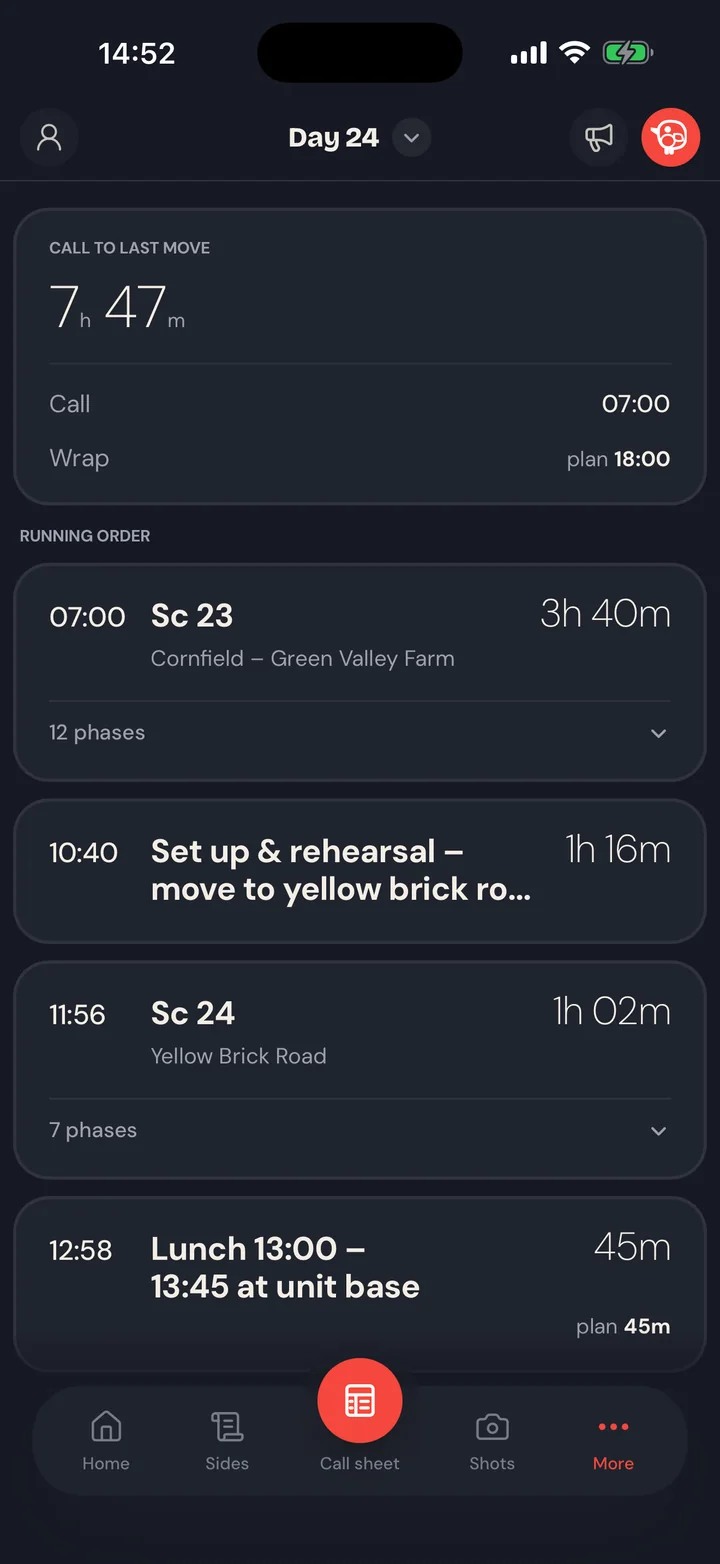
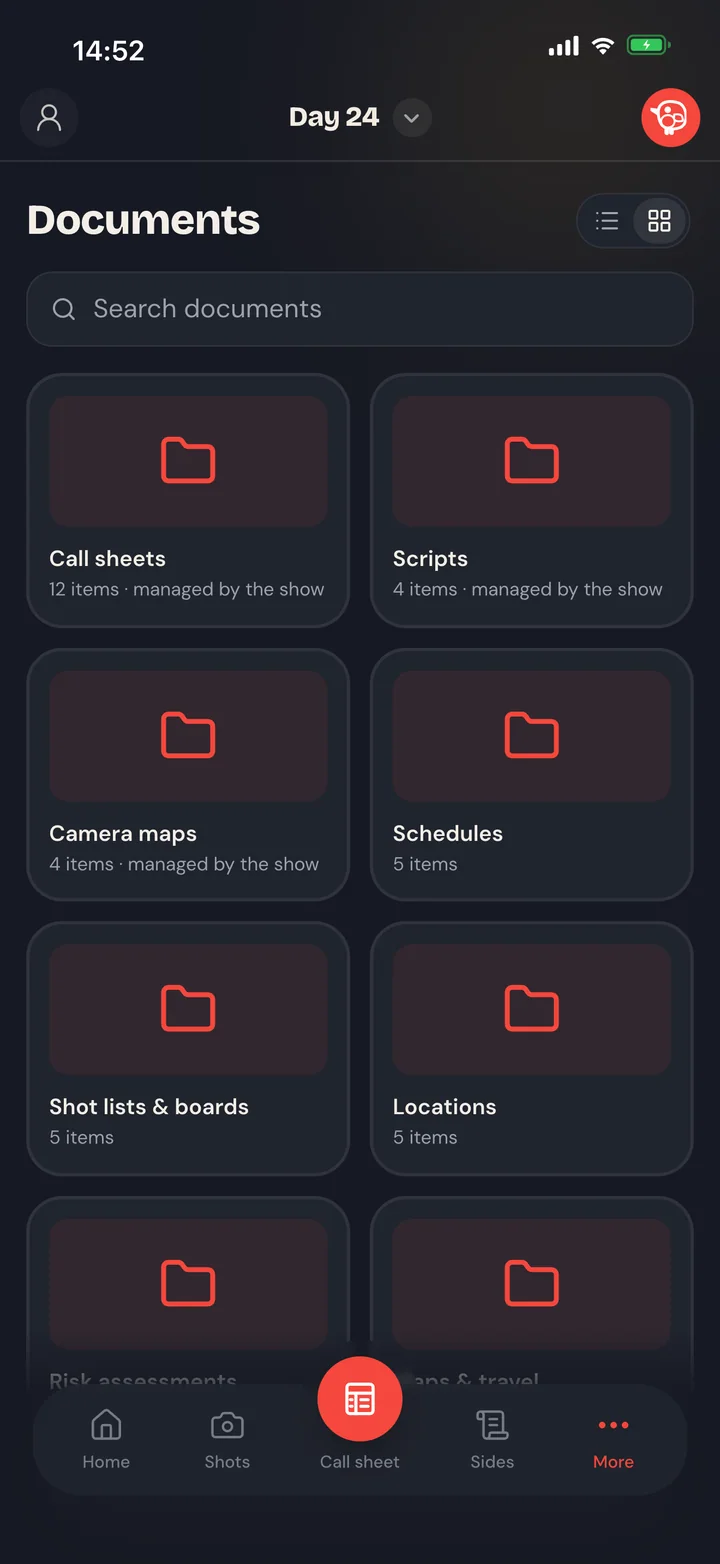
All the production's documents in one place.
No more email threads and shared drives nobody can navigate. Every document finally lives in the same app as the shooting day: upload, organise and share in a couple of taps, read without leaving for a browser, and automatic watermarking keeps the sensitive ones secure when needed.
Bigger screens
Got an iPad? The Snitch will spread its wings.
Everything works perfectly on a phone. On an iPad the view just keeps getting better: panels side by side, the whole day on one screen.
The Nest
Every show, every day, and where the time actually went.
The SetSnitch app runs the day on the floor. The Nest is where you manage everything around it: the script, the breakdown, the schedule and the call sheets before the first call, and every day read back after wrap.
Explore the Nest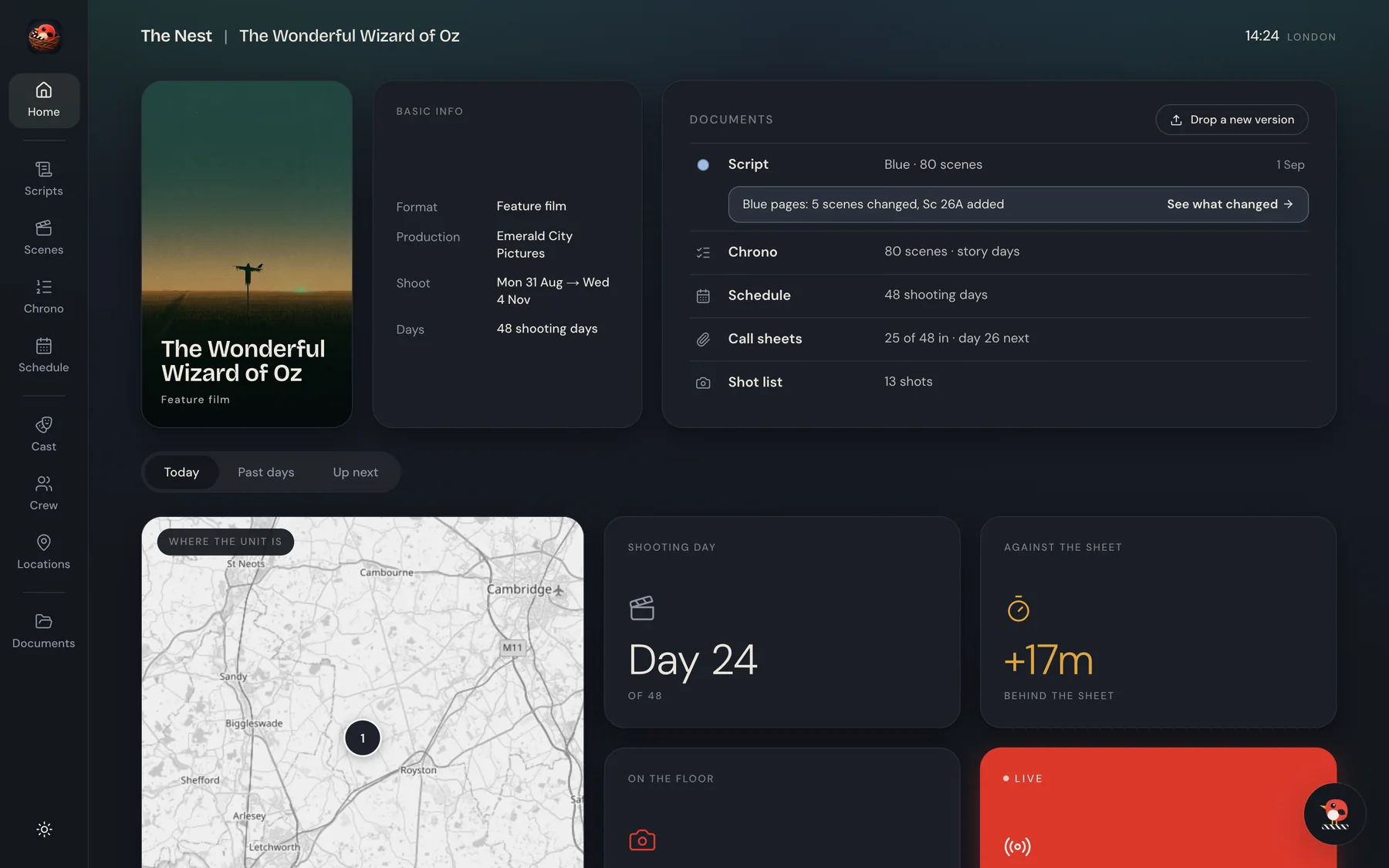
Run your shoot days live. Your crew join free.
Filmmaker is the SetSnitch app on its own. Pick a Nest plan when you want the whole production in one place.
Launch offer30% off your first year with the code LAUNCH30, until 30 November.
Filmmaker
The app on its ownFor running your shoot days live, without the Nest.
7€ a month
billed yearly at 84€
- The SetSnitch app for up to 10 crew
- Your call sheet in, the day built for you
- Crew join free with a link and a code
- Every shoot day
Nest
For running a production in the Nest and on set.
33€ a month
billed yearly at 396€
- The Nest
- 5 full-access seats
- Unlimited prep-seats
- The SetSnitch app for up to 75 crew
- 500 Snitch credits a month
- Every shoot day
Nest Pro
For bigger crews and a bigger production office.
66€ a month
billed yearly at 792€
- The Nest
- 20 full-access seats
- Unlimited prep-seats
- The SetSnitch app for up to 150 crew
- 1 000 Snitch credits a month
- Every shoot day
Nest Lite. A prep tool for directors and DOPs: your shot lists, storyboards and camera maps, kept in order scene by scene and ready to export. When the production comes on SetSnitch, hand your prep over and it carries on into the shoot. The SetSnitch app is not included. 13€ a month, billed yearly at 156€.
Start free trialA production company with a bigger slate? The Studio plan is priced around your slate, with the seats, crew and AI you need.
Talk to usFAQ
Fair questions.
Do I need the Nest?
No. Filmmaker runs the SetSnitch app on its own: drop in your call sheet and run the day. The Nest plans add the script, the breakdown, the schedule and the call sheets, all in one place.
Do my crew need to pay?
No. Crew and cast always use the SetSnitch app free. Only the person who runs the production needs a plan.
Can I try it first?
Yes. Every plan but Studio is free for seven days. You add a card when you start, nothing is charged during the trial, and you can cancel any time.
Can one plan run several productions?
Yes. One plan covers every production you run. Seats are for you and the people you give Full access in the Nest, such as producers and production managers. Heads of department prep in the Nest without taking a seat, and count toward the plan's crew like everyone else.
What does my crew need to install?
The free SetSnitch app on iPhone and iPad. On Android phones, SetSnitch runs in the browser. Crew join from their invite email in one tap, or with a link and the six-digit code from the AD, and they're in with the right role.
Is it in the App Store?
Yes, for iPhone and iPad. On Android phones, SetSnitch runs in the browser. Open the link, and add it to the home screen if you like.