
From StudioBinder
Coming from StudioBinder.
Bring your StudioBinder exports with you: call sheets and schedules as PDFs, breakdown reports and crew lists as spreadsheets, and the script as a PDF or a Final Draft .fdx.
SetSnitch reads them into one connected production and carries it from prep to the shoot day, with an AI copilot that knows the whole show.
The problem
Bring your production, not a new way of working.
Your scripts, schedules, call sheets and crew lists already hold the production. Changing software shouldn't mean typing any of it in again.
What carries over, and what's new
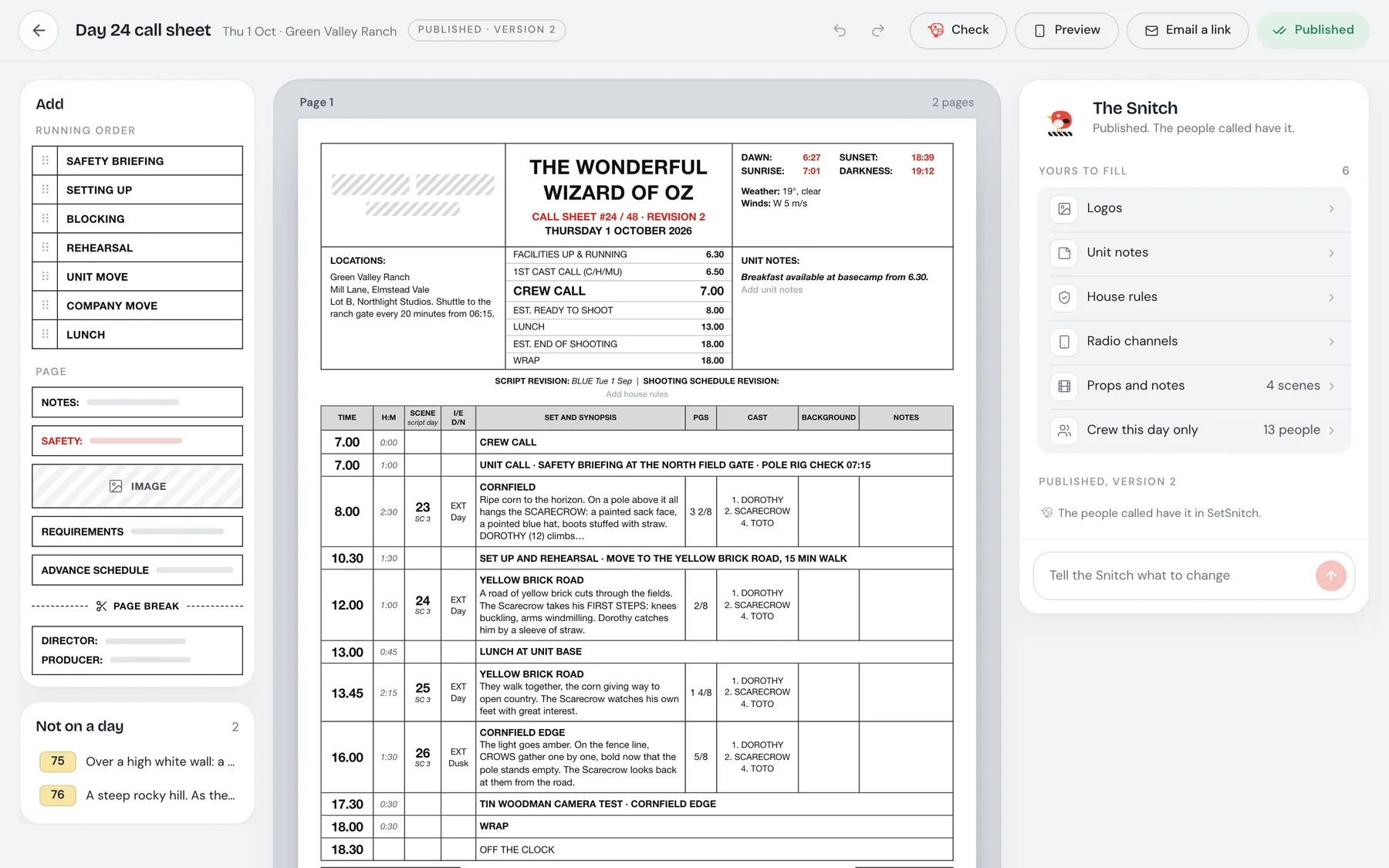
The Snitch reads your exports into a working production: scenes, cast and crew, calls, breaks and moves.
Your exports. PDFs and spreadsheets come in through the Snitch, and you check what it read.
The way you work. Breakdowns, a stripboard, call sheets and shot lists, in the shapes you already know.
What you can do now. A schedule generated from your brief, call sheets prefilled from it, and the shoot day live on iPhone and iPad.
Everything connected
The whole production, in one place, from prep to wrap.
The script becomes the breakdown, the breakdown becomes the schedule, the schedule becomes the call sheets, and the call sheets become the shoot day, live on iPhone and iPad. Each step knows what the one before it knows.
Coming from another tool
FAQ
Fair questions.
Can I bring my StudioBinder call sheets?
Yes. Bring them as PDFs and the Snitch reads them into a working day.
What about breakdowns and crew lists?
A breakdown report exported as a spreadsheet, and crew lists as .xlsx or .csv, come in through the Snitch.
Do I have to start my production over?
No. Bring what you have, and SetSnitch connects it into one production from prep to wrap.
Bring your production. Not a new way of working.
SetSnitch opens to everyone on November 18th. The waitlist is open now.
Get early access